CATEGORIES
- A free account
- Account assistants
- Account Information
- Affiliate Program
- Appearance
- AppSumo
- Attendee Portal
- Audio & Video
- Branding / Custom / Whitelabel
- Branding Tool
- Break-out Rooms
- Call to Action
- Camera & Microphone
- Capacity & Limits
- Certificates
- Closed captioning
- Decisions - Professional Voting
- E-mail templates
- Event tokens
- Evergreen webinars
- Forms
- How to join meeting on mobiles
- Hubspot Integration
- Integrations
- Language interpretation
- Live Transcription
- Meetings & Webinars
- Other
- Pabbly Connect
- Paid Webinars
- Presence Manager
- Recording
- Registration
- Requirements
- Room Chat
- Screen Sharing
- Session Management
- Statistics & Reports
- Storage
- Streaming
- Sub-Accounts
- Tests & Surveys
- Virtual Backgrounds
- Vote Manager
- Waiting rooms
- Webinar and Meeting Room Features
- Website Presenter
- Whiteboard
- Wordpress plugin
FAQ -> Room Chat -> What is Chat Slow Mode and how can I use it?
What is Chat Slow Mode and how can I use it?
Chat Slow Mode allows you to add a delay between messages sent in the chat during a LiveWebinar meeting. It can help you manage busy chats and give participants more time to read and respond to messages.
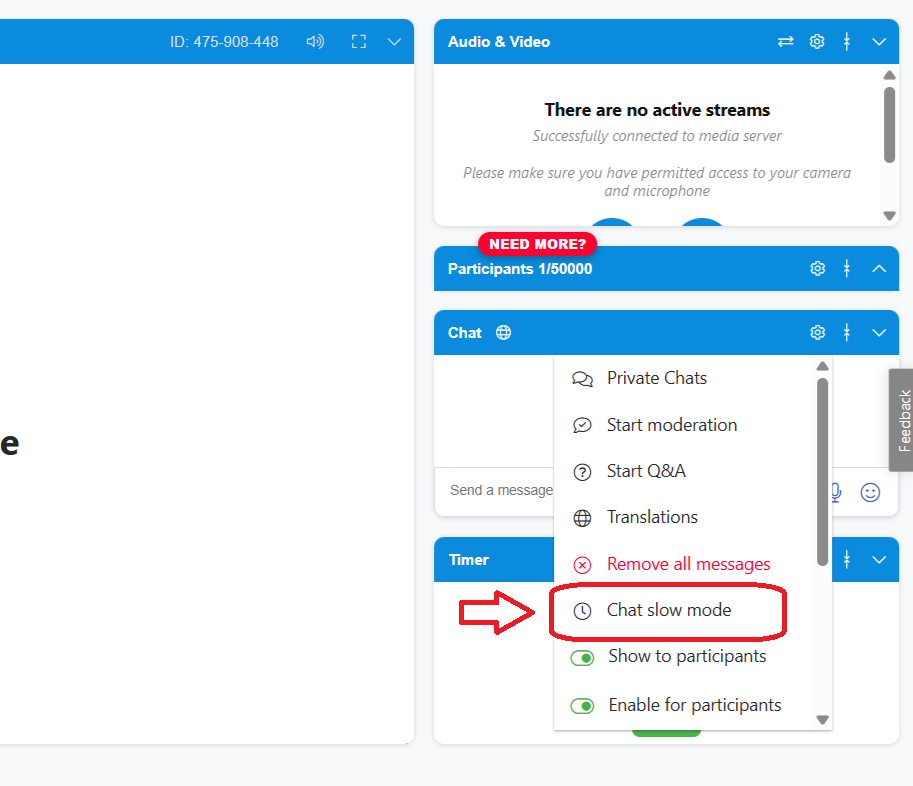
To enable Chat Slow Mode, open the chat settings in your webinar room and select Chat Slow Mode.
You can then choose the delay you want, from 1 minute up to 30 minutes, with options including 1, 3, 5, and longer intervals.
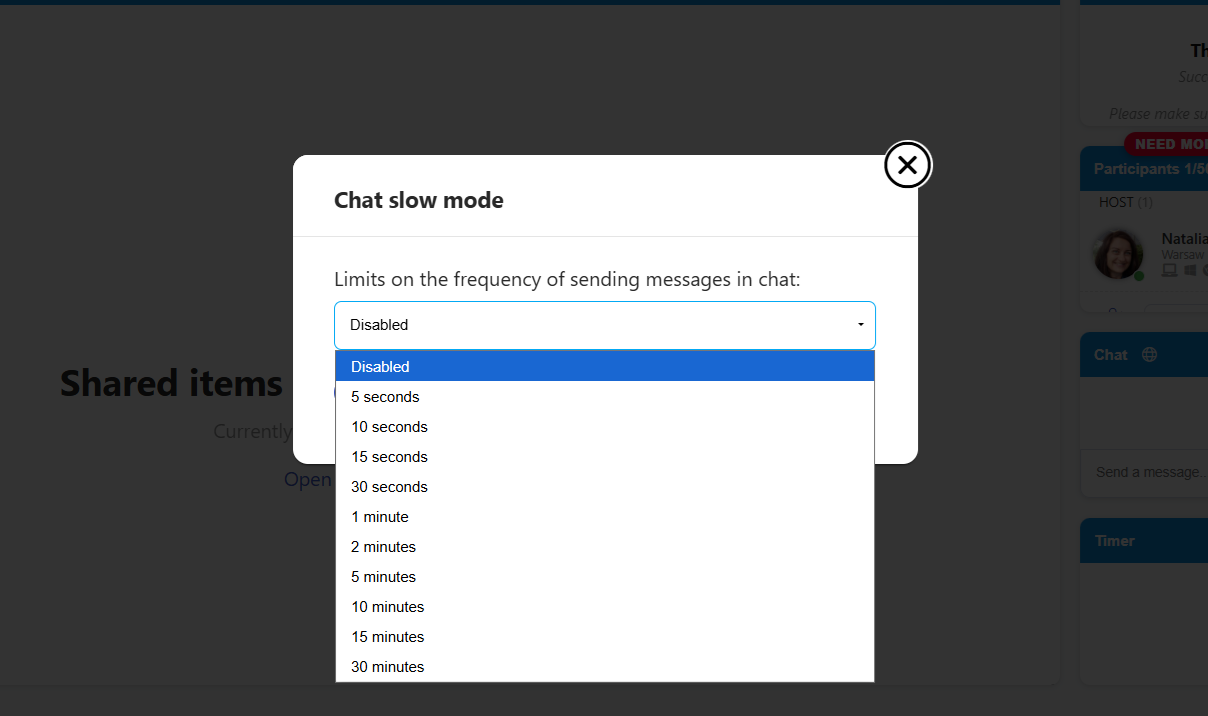
Once enabled, participants will need to wait for the selected time before they can send another chat message.