CATEGORIES
- A free account
- Account assistants
- Account Information
- Affiliate Program
- Appearance
- AppSumo
- Attendee Portal
- Audio & Video
- Branding / Custom / Whitelabel
- Branding Tool
- Break-out Rooms
- Call to Action
- Camera & Microphone
- Capacity & Limits
- Certificates
- Closed captioning
- Decisions - Professional Voting
- E-mail templates
- Event tokens
- Evergreen webinars
- Forms
- How to join meeting on mobiles
- Hubspot Integration
- Integrations
- Language interpretation
- Live Transcription
- Meetings & Webinars
- Other
- Pabbly Connect
- Paid Webinars
- Presence Manager
- Recording
- Registration
- Requirements
- Room Chat
- Screen Sharing
- Session Management
- Statistics & Reports
- Storage
- Streaming
- Sub-Accounts
- Tests & Surveys
- Virtual Backgrounds
- Vote Manager
- Waiting rooms
- Webinar and Meeting Room Features
- Website Presenter
- Whiteboard
- Wordpress plugin
FAQ -> Registration -> The form on my landing page appears in a different color than I want. How can I change it?
The form on my landing page appears in a different color than I want. How can I change it?
If the form on your LiveWebinar landing page is showing up in the wrong color, remember that the form and landing page colors are set separately. To get a consistent look, you need to customize the color settings for both the form and the landing page.
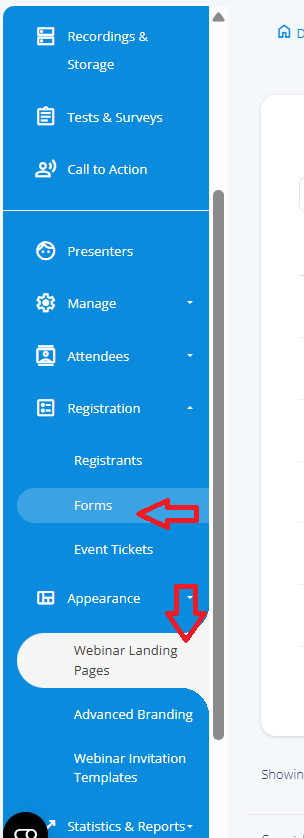
Here’s how to do it:
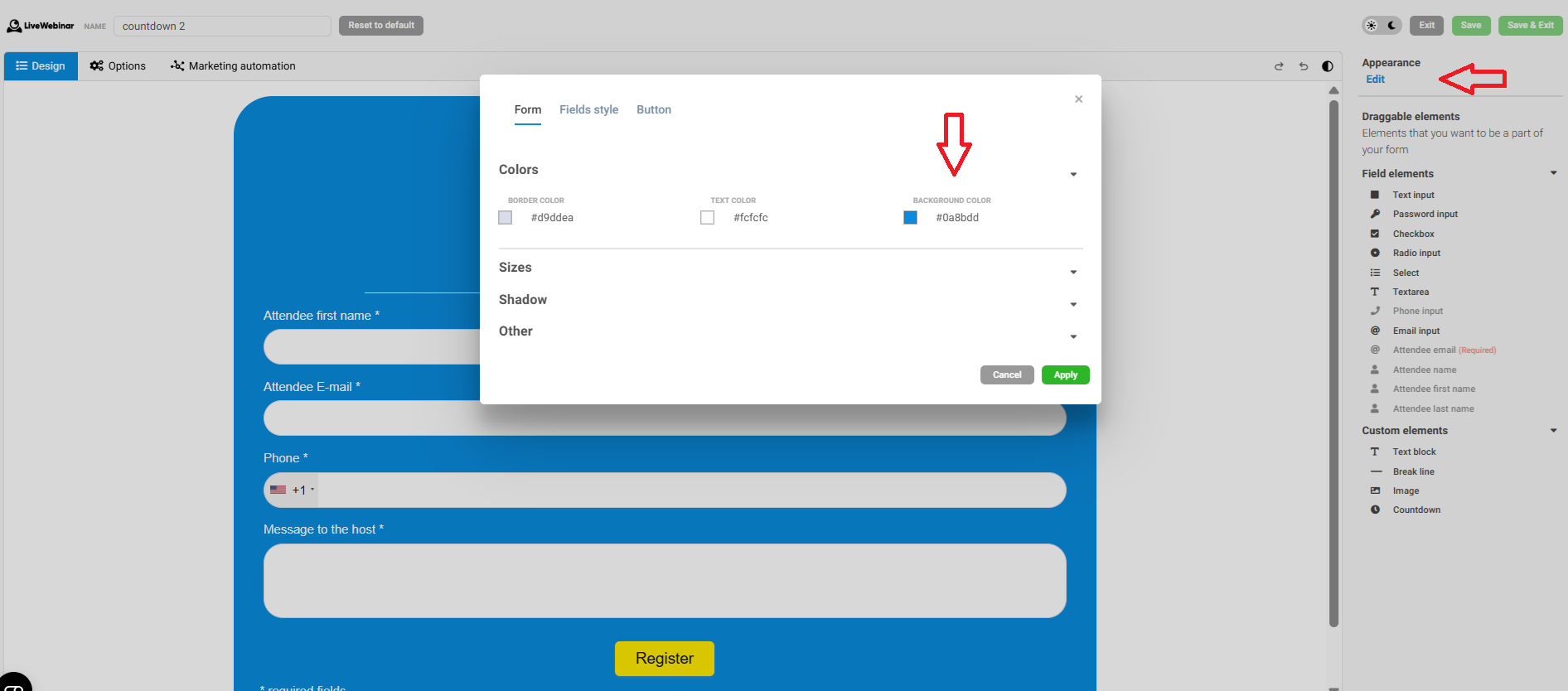
Go to the “Forms” tab. When creating or editing your form, you can choose the background color, font color, and other style options to match your preferences.
Go to the “Appearance” tab and select “Webinar Landing Pages.” Here you can set the color scheme for your landing page so it matches your form.
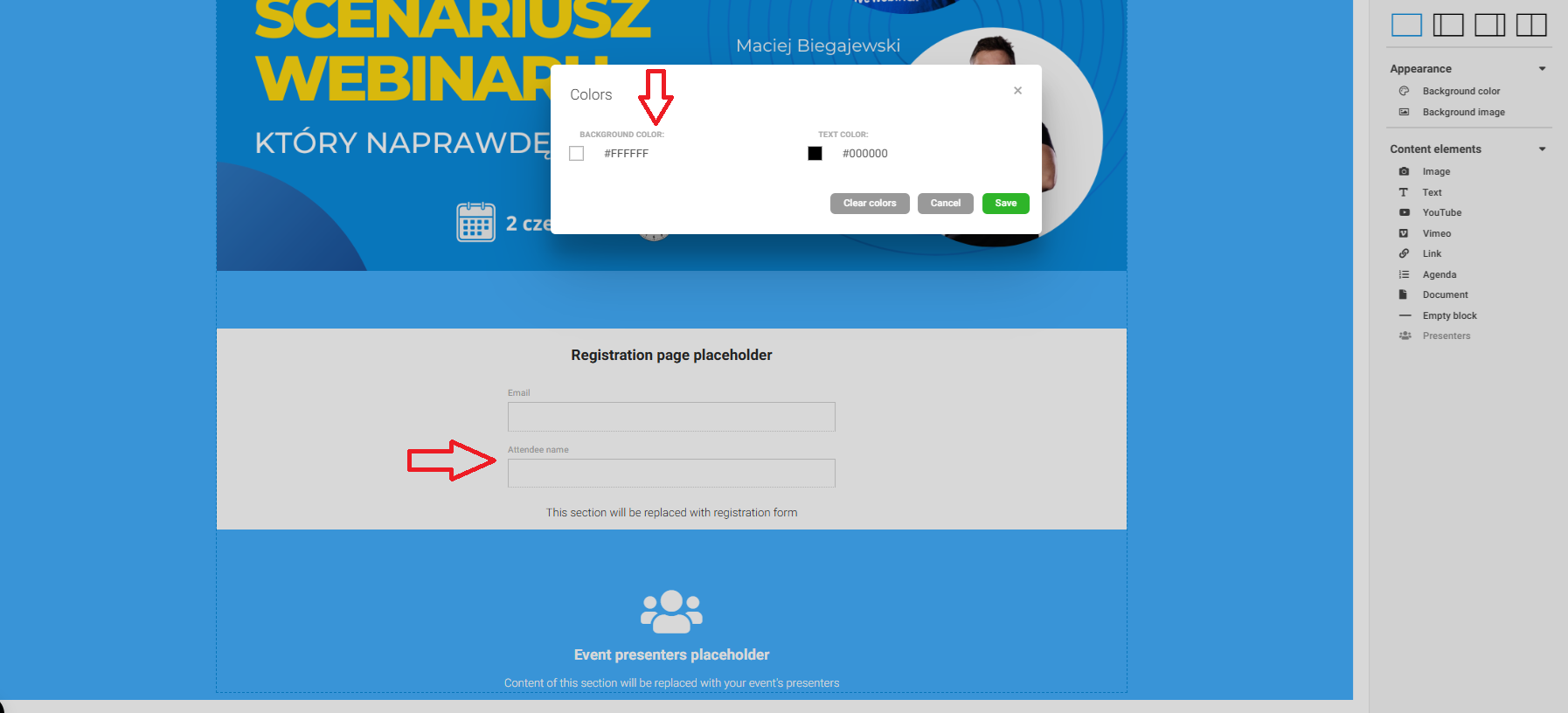
Be sure to save your changes in both places – this way, your landing page and form will share the same consistent color theme.
Now, both your form and landing page will appear with the colors you’ve chosen.