CATEGORIES
- A free account
- Account assistants
- Account Information
- Affiliate Program
- Appearance
- AppSumo
- Attendee Portal
- Audio & Video
- Branding / Custom / Whitelabel
- Branding Tool
- Break-out Rooms
- Call to Action
- Camera & Microphone
- Capacity & Limits
- Certificates
- Closed captioning
- Decisions - Professional Voting
- E-mail templates
- Event tokens
- Evergreen webinars
- Forms
- How to join meeting on mobiles
- Hubspot Integration
- Integrations
- Language interpretation
- Live Transcription
- Meetings & Webinars
- Other
- Pabbly Connect
- Paid Webinars
- Presence Manager
- Recording
- Registration
- Requirements
- Room Chat
- Screen Sharing
- Session Management
- Statistics & Reports
- Storage
- Streaming
- Sub-Accounts
- Tests & Surveys
- Virtual Backgrounds
- Vote Manager
- Waiting rooms
- Webinar and Meeting Room Features
- Website Presenter
- Whiteboard
- Wordpress plugin
FAQ -> Registration -> How can I access full data collected from the registration form?
How can I access full data collected from the registration form?
You can access your registration data in two ways:
1. From the Rooms/Events tab:
- Go to the Rooms/Events tab in the side panel.
- Select the event you want to view.
- Click “Attendees registered” – this will automatically apply the correct filter.
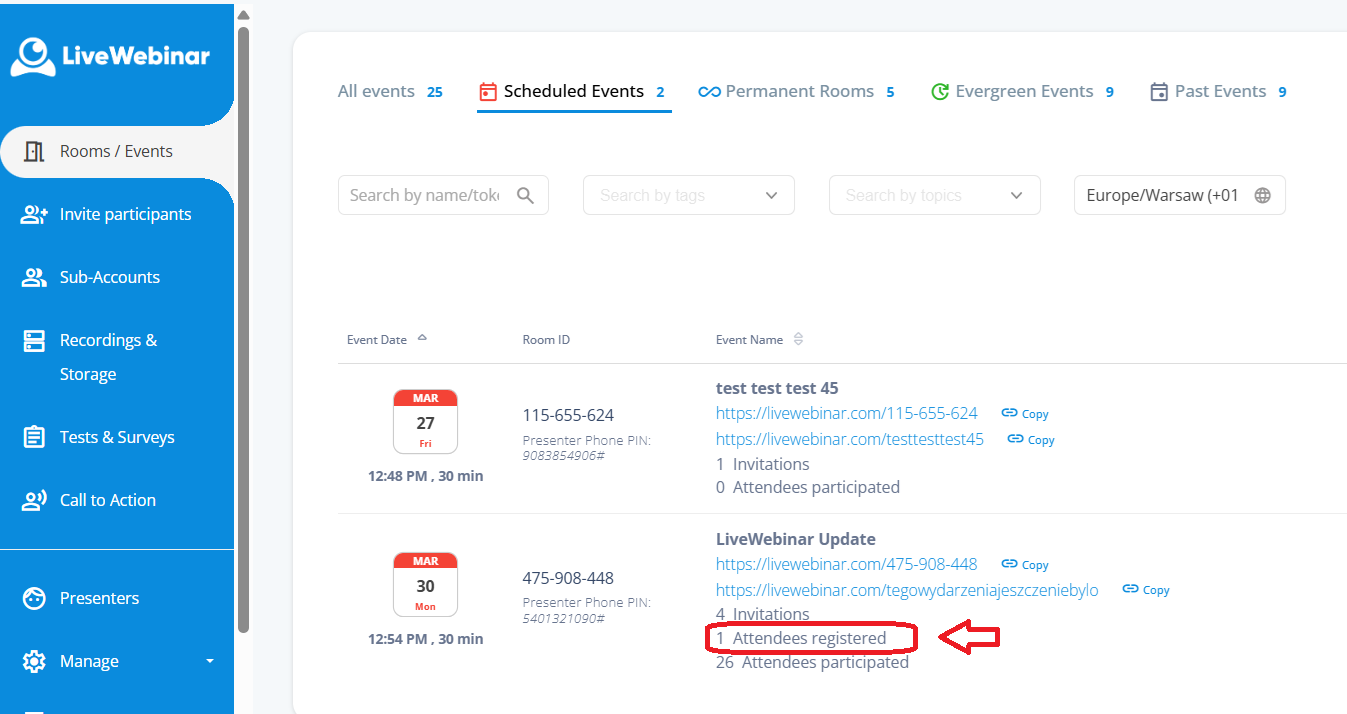
You’ll see a list of registrants, but note that this view shows only basic information (not all the fields from your registration form). To view and download all collected data, click Download to export the XLSX file.
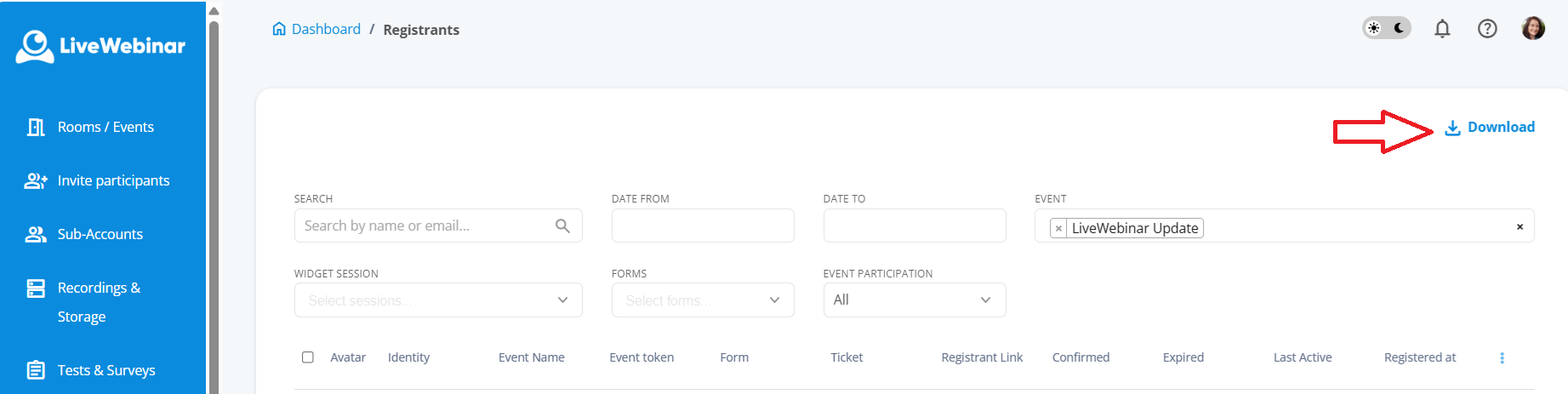
In the exported file, go to the second tab – it contains all form fields and answers provided by registrants.

2. From the Forms list:
o You can also open the Forms section and download a snapshot of a selected form.
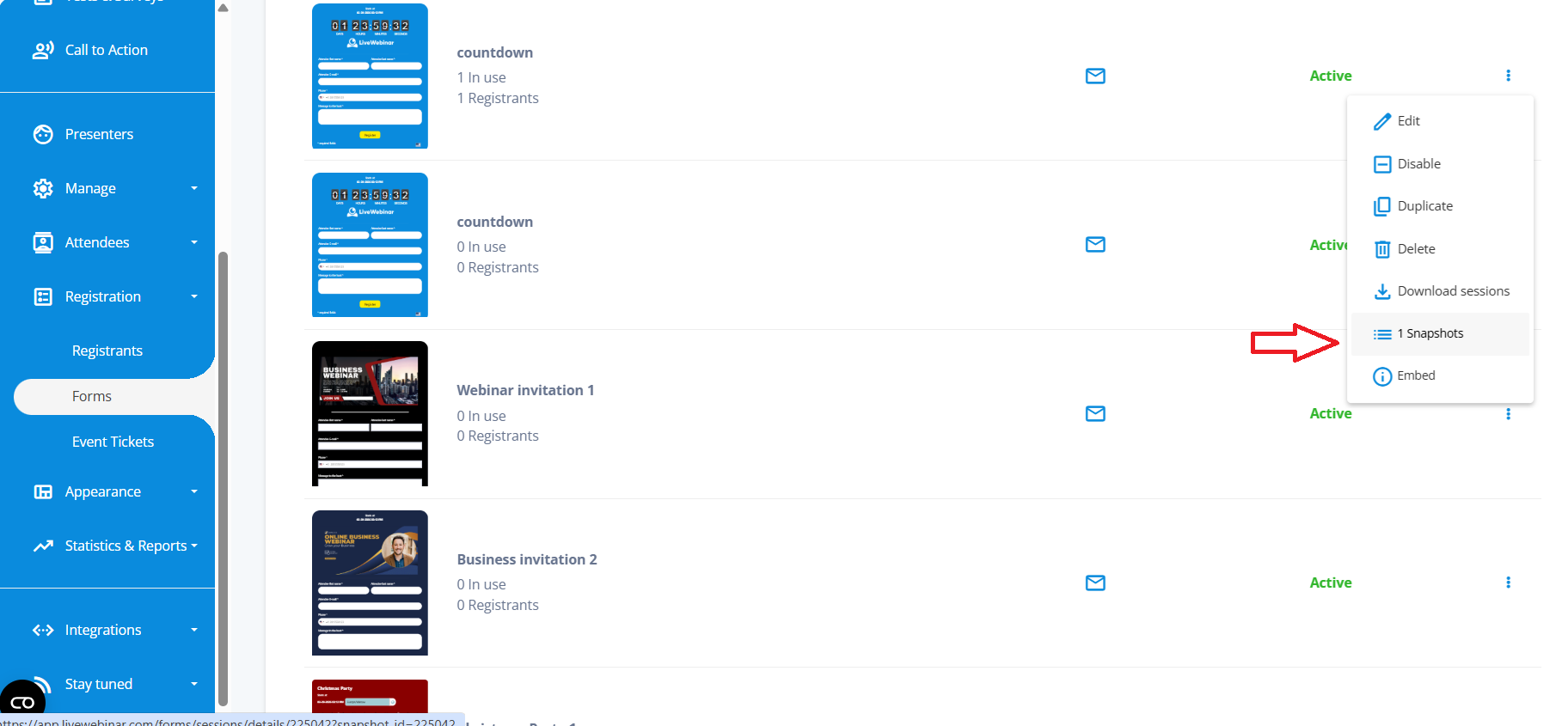
This option is useful when you want to review data from one specific registration form.
Tip: Use the XLSX export if you want full data for analysis, and the snapshot view for a quick overview of one form.