CATEGORIES
- A free account
- Account assistants
- Account Information
- Affiliate Program
- Appearance
- AppSumo
- Attendee Portal
- Audio & Video
- Branding / Custom / Whitelabel
- Branding Tool
- Break-out Rooms
- Call to Action
- Camera & Microphone
- Capacity & Limits
- Certificates
- Closed captioning
- Decisions - Professional Voting
- E-mail templates
- Event tokens
- Evergreen webinars
- Forms
- How to join meeting on mobiles
- Hubspot Integration
- Integrations
- Language interpretation
- Live Transcription
- Meetings & Webinars
- Other
- Pabbly Connect
- Paid Webinars
- Presence Manager
- Recording
- Registration
- Requirements
- Room Chat
- Screen Sharing
- Session Management
- Statistics & Reports
- Storage
- Streaming
- Sub-Accounts
- Tests & Surveys
- Virtual Backgrounds
- Vote Manager
- Waiting rooms
- Webinar and Meeting Room Features
- Website Presenter
- Whiteboard
- Wordpress plugin
FAQ -> Meetings & Webinars -> Can I access participants’ email addresses during a live session?
Can I access participants’ email addresses during a live session?
Yes! With LiveWebinar, you can check participants' details during an online meeting, including their first and last names, email addresses, and the locations they are connecting from. This allows you to verify who is attending your event.
There are two ways to access this information.
How can I check participant details in the webinar room?
1. Open the participants list.
During the live session, go to the participants list in your webinar room.
2. Click the "i" icon next to the participant's name.
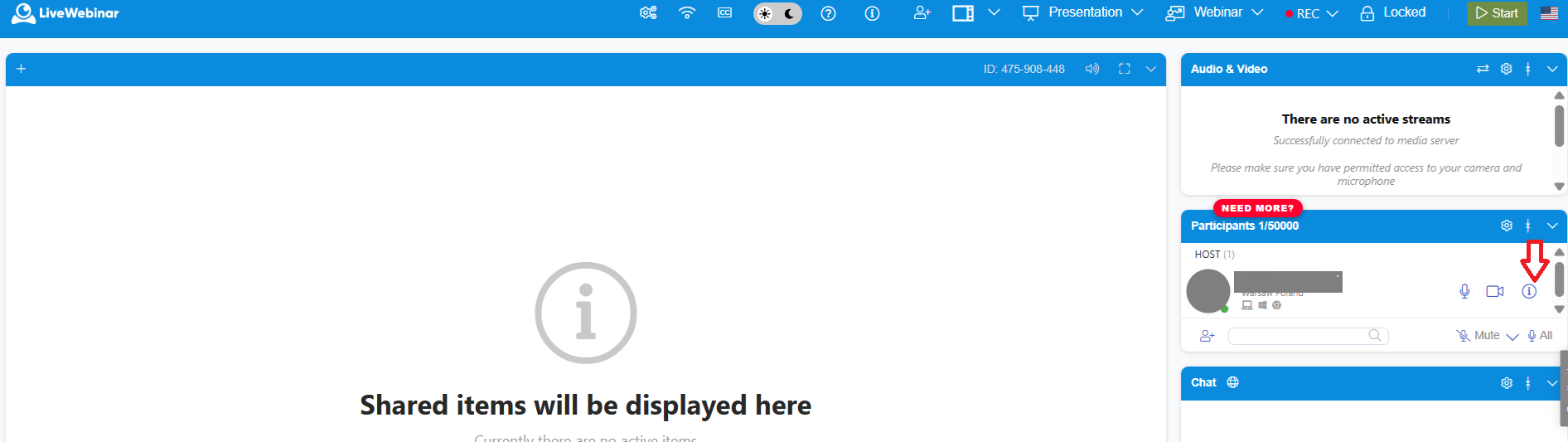
A panel with detailed information about the selected participant will open.
You'll find the following information:
- The participant's first and last name.
- The participant's email address.
- Their role in the session, such as attendee, presenter, or host, which you can change directly from this view.
- Location information, with the option to view it on a map.
How can I check the participants list in the dashboard?
1. Go to the "Scheduled Events" tab.
Open your LiveWebinar dashboard and select the event whose participants you want to check.
2. Open the participants list.
Navigate to the participants list for your selected event.
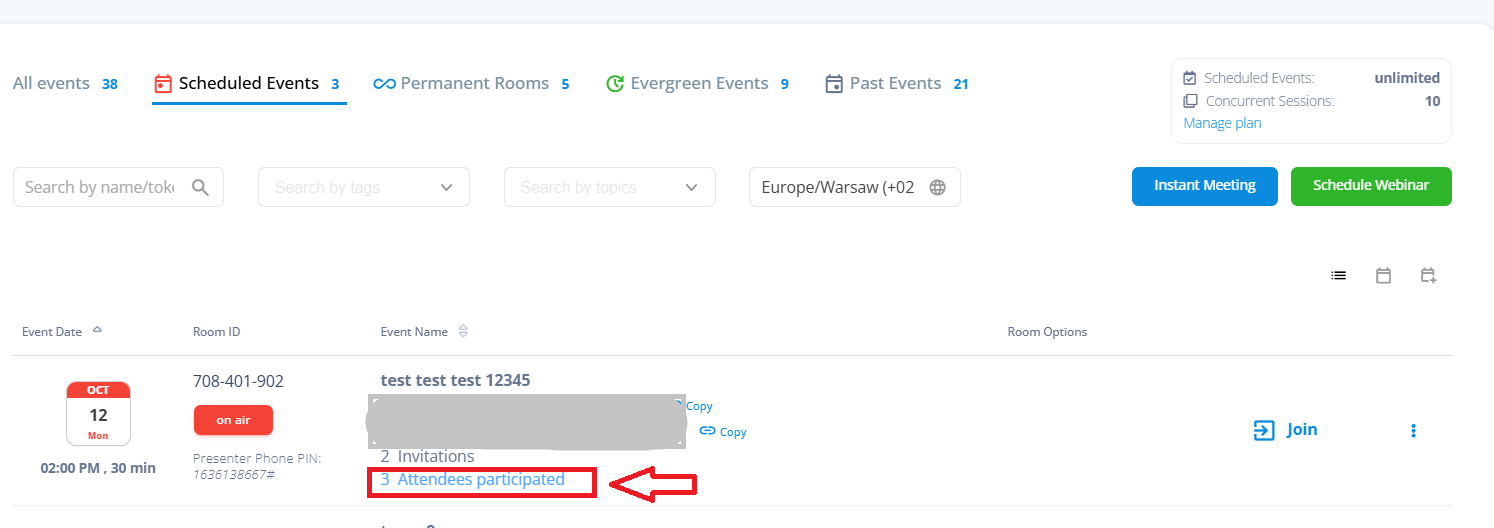
You'll find the email addresses of people who attended the event, along with information about when they joined the session.
Where can I find participant attendance reports?
Want to learn more about tracking attendance during your webinars? Read our article about participant attendance reports: learn more about participant attendance reports.