CATEGORIES
- A free account
- Account assistants
- Account Information
- Affiliate Program
- Appearance
- AppSumo
- Attendee Portal
- Audio & Video
- Branding / Custom / Whitelabel
- Branding Tool
- Break-out Rooms
- Call to Action
- Camera & Microphone
- Capacity & Limits
- Certificates
- Closed captioning
- Decisions - Professional Voting
- E-mail templates
- Event tokens
- Evergreen webinars
- Forms
- How to join meeting on mobiles
- Hubspot Integration
- Integrations
- Language interpretation
- Live Transcription
- Meetings & Webinars
- Other
- Pabbly Connect
- Paid Webinars
- Presence Manager
- Recording
- Registration
- Requirements
- Room Chat
- Screen Sharing
- Session Management
- Statistics & Reports
- Storage
- Streaming
- Sub-Accounts
- Tests & Surveys
- Virtual Backgrounds
- Vote Manager
- Waiting rooms
- Webinar and Meeting Room Features
- Website Presenter
- Whiteboard
- Wordpress plugin
FAQ -> Meetings & Webinars -> Can I add notes to my presentation during a webinar?
Can I add notes to my presentation during a webinar?
Yes, you absolutely can! To add notes to your presentation during a webinar, simply use the Prompter feature. You’ll find this function in the lower corner under your presentation in the webinar room, in the Settings menu.
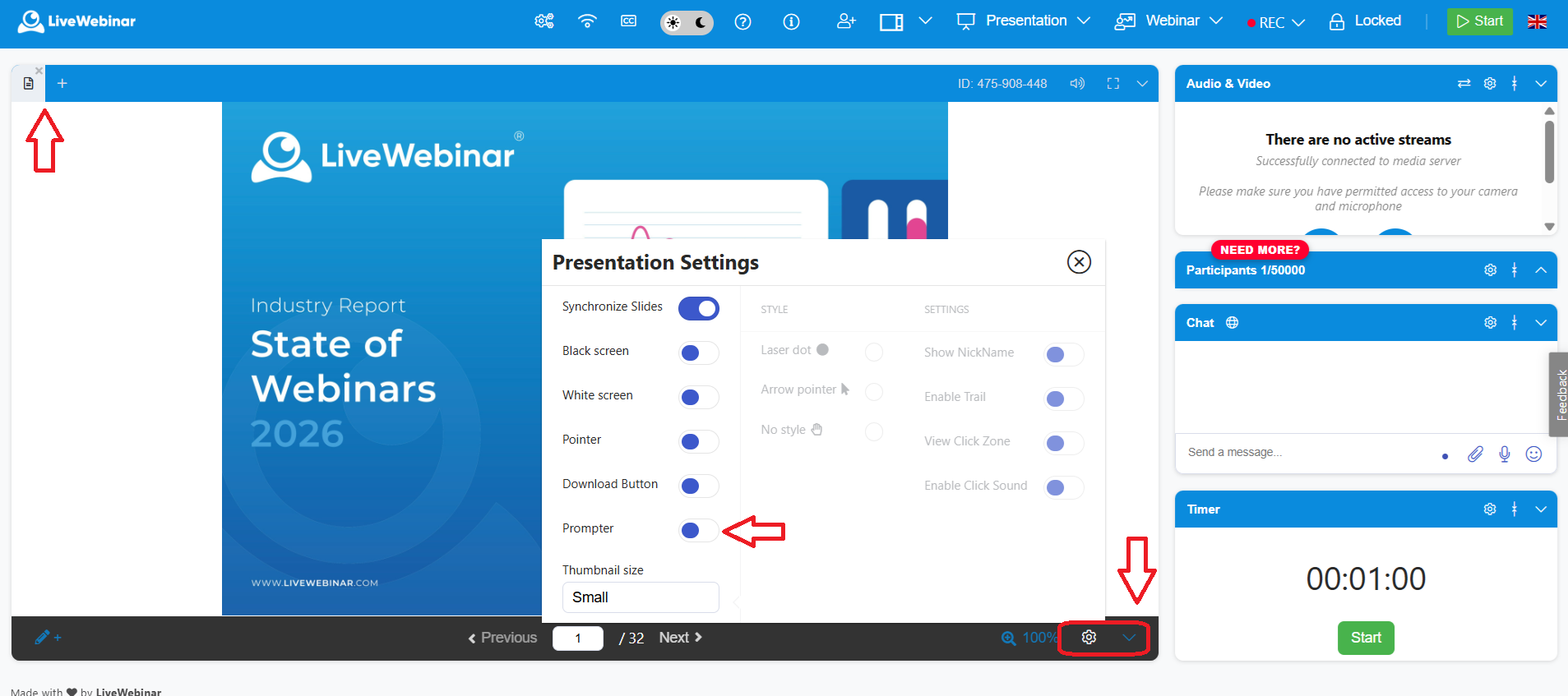
Once you enable it, a window will appear where you can type any text you want, such as notes, key points, or reminders.
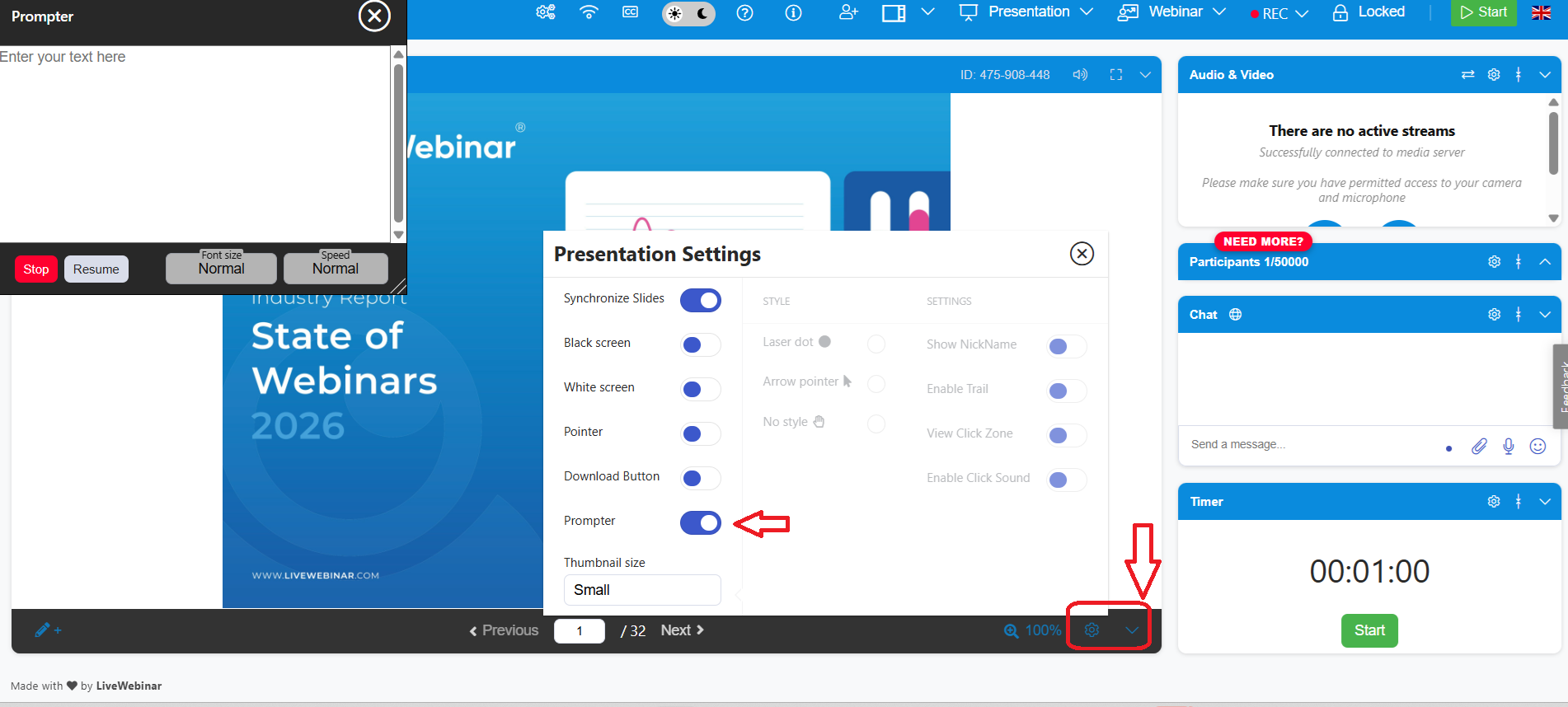
Additionally, you can set the font size and scrolling speed to match the pace of your presentation. This makes it much easier to stay organized and present professionally during your webinar!
