CATEGORIES
- A free account
- Account assistants
- Account Information
- Affiliate Program
- Appearance
- AppSumo
- Attendee Portal
- Audio & Video
- Branding / Custom / Whitelabel
- Branding Tool
- Break-out Rooms
- Call to Action
- Camera & Microphone
- Capacity & Limits
- Certificates
- Closed captioning
- Decisions - Professional Voting
- E-mail templates
- Event tokens
- Evergreen webinars
- Forms
- How to join meeting on mobiles
- Hubspot Integration
- Integrations
- Language interpretation
- Live Transcription
- Meetings & Webinars
- Other
- Pabbly Connect
- Paid Webinars
- Presence Manager
- Recording
- Registration
- Requirements
- Room Chat
- Screen Sharing
- Session Management
- Statistics & Reports
- Storage
- Streaming
- Sub-Accounts
- Tests & Surveys
- Virtual Backgrounds
- Vote Manager
- Waiting rooms
- Webinar and Meeting Room Features
- Website Presenter
- Whiteboard
- Wordpress plugin
FAQ -> Forms -> Can I translate registration form fields?
Can I translate registration form fields?
Yes! On the LiveWebinar platform, you can easily add translations to your forms — without creating separate language versions.
How does it work?
1. Create your form and start editing it.
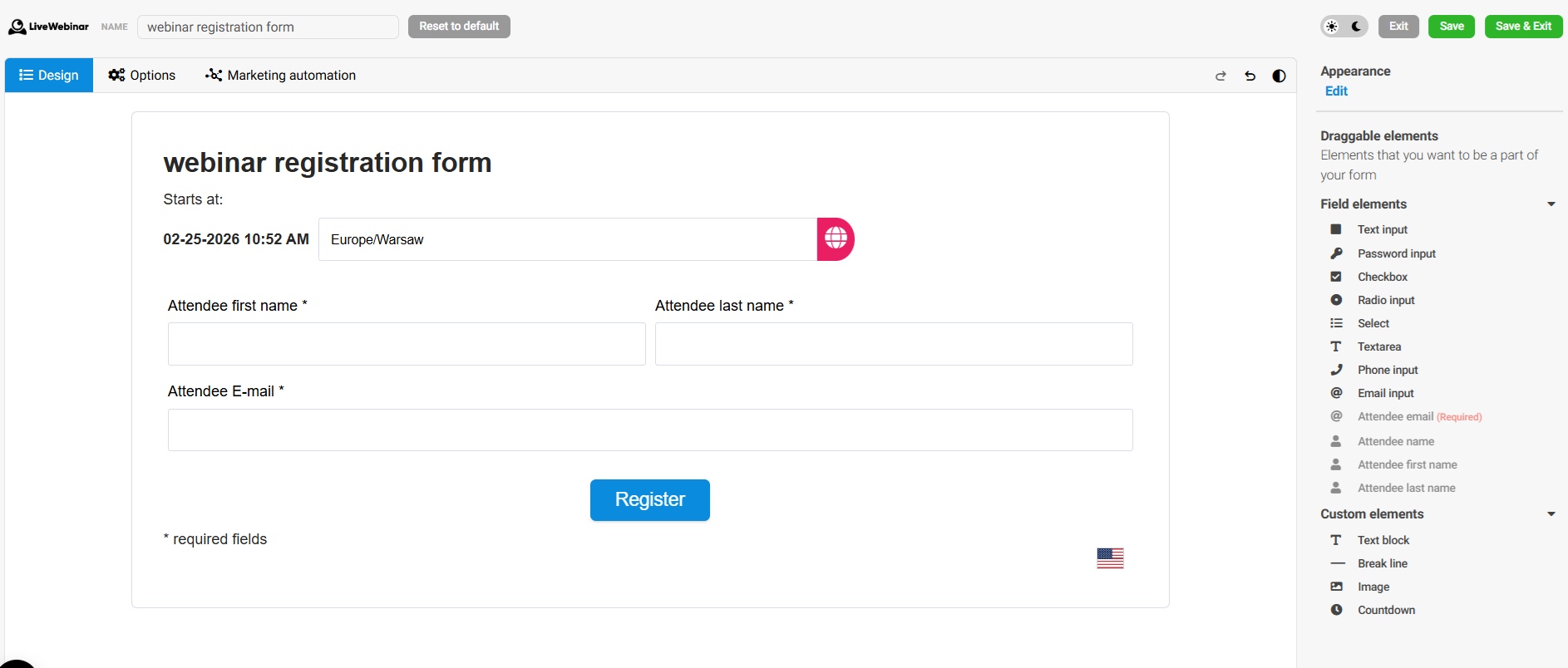
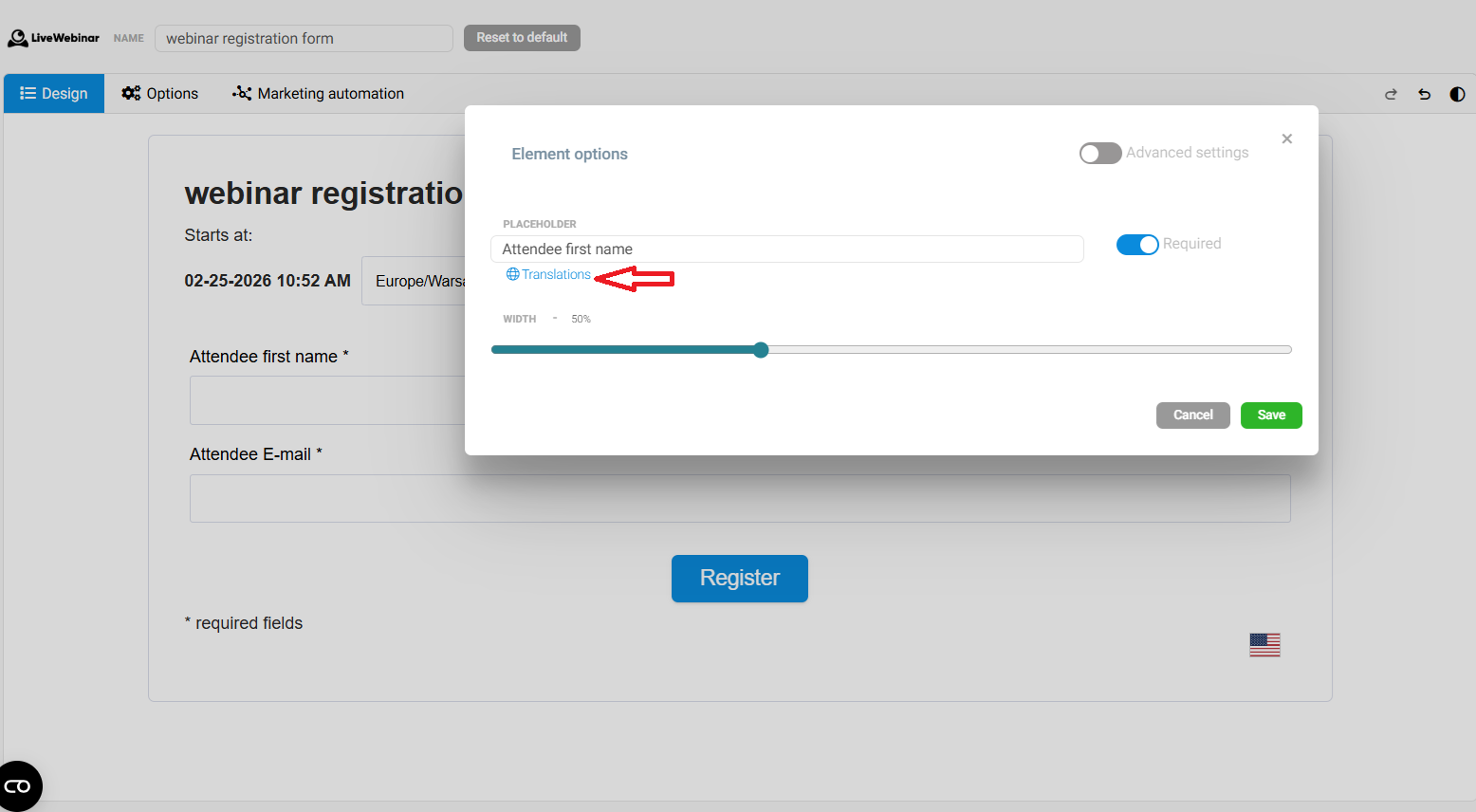
2. Select the field you want to translate.
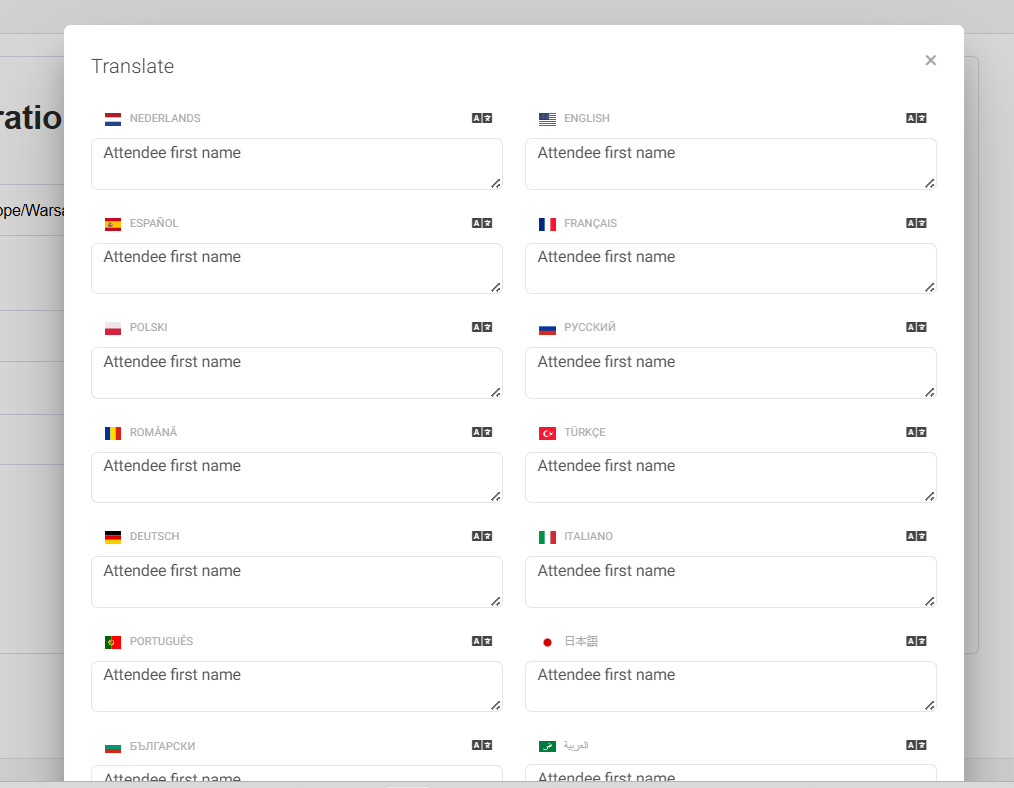
Click the “Translations” button. A window (modal) will open with a list of all languages supported by the system.
 Add translations – if you want. You can fill in only the languages you need and skip the rest. If you don’t add a translation, the field will display its default name.
Check the results on your page. Remember: when the form is embedded or displayed in a browser, the form language is automatically set based on the user’s browser language.
You can also change the language manually — users can click the flag icon and select their preferred language.
Automatic loading of translations. Once the language is changed, the form will automatically show the translations you’ve added. If no translation is available for a specific language, the default field name will be shown.