CATEGORIES
- A free account
- Account assistants
- Account Information
- Affiliate Program
- Appearance
- AppSumo
- Attendee Portal
- Audio & Video
- Branding / Custom / Whitelabel
- Branding Tool
- Break-out Rooms
- Call to Action
- Camera & Microphone
- Capacity & Limits
- Certificates
- Closed captioning
- Decisions - Professional Voting
- E-mail templates
- Event tokens
- Evergreen webinars
- Forms
- How to join meeting on mobiles
- Hubspot Integration
- Integrations
- Language interpretation
- Live Transcription
- Meetings & Webinars
- Other
- Pabbly Connect
- Paid Webinars
- Presence Manager
- Recording
- Registration
- Requirements
- Room Chat
- Screen Sharing
- Session Management
- Statistics & Reports
- Storage
- Streaming
- Sub-Accounts
- Tests & Surveys
- Virtual Backgrounds
- Vote Manager
- Waiting rooms
- Webinar and Meeting Room Features
- Website Presenter
- Whiteboard
- Wordpress plugin
FAQ -> Attendee Portal -> Where Can I Find Webinar Materials in Attendee Portal?
Where Can I Find Webinar Materials in Attendee Portal?
Where can attendees find a webinar recording?
Attendees can access events and materials shared by the organizer through the Attendee Portal.
To find a recording or other materials used during the meeting:
1. Log in to the Attendee Portal.
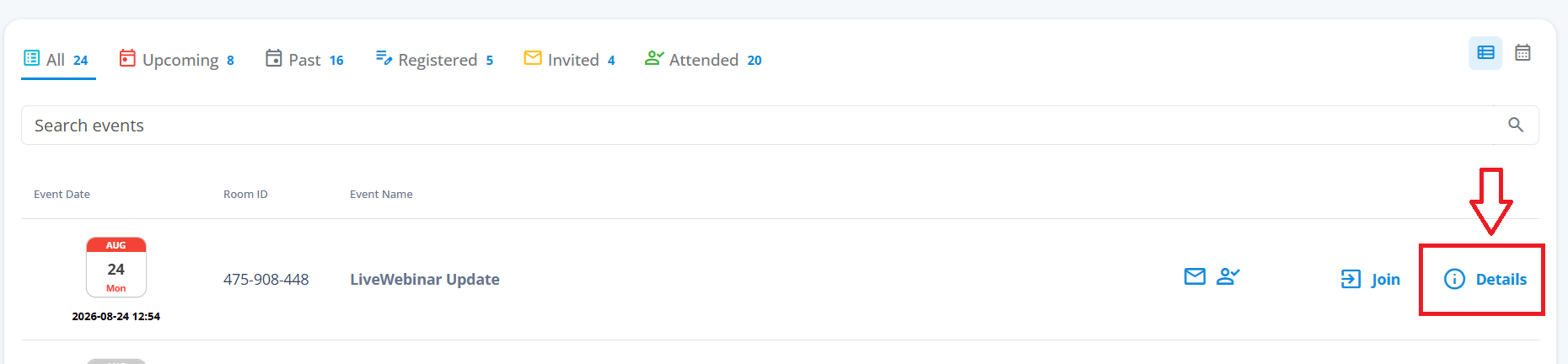
2. Select the event you’re interested in.
3. Go to “Details.”
4. Scroll to the bottom of the page — you’ll find a list of materials used during the meeting there.
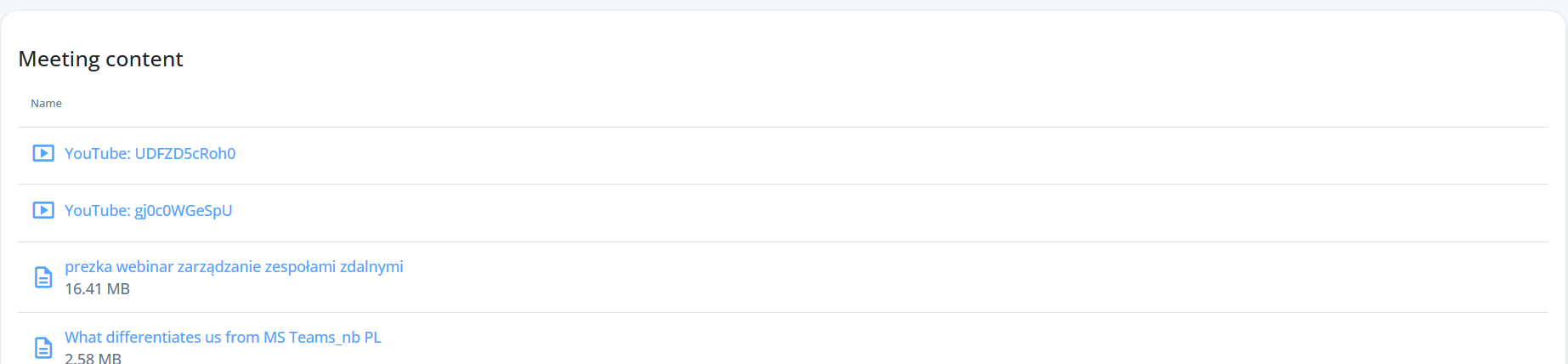 If the organizer has made the recording available, you’ll find it in this section.