CATEGORIES
- A free account
- Account assistants
- Account Information
- Affiliate Program
- Appearance
- AppSumo
- Attendee Portal
- Audio & Video
- Branding / Custom / Whitelabel
- Branding Tool
- Break-out Rooms
- Call to Action
- Camera & Microphone
- Capacity & Limits
- Certificates
- Closed captioning
- Decisions - Professional Voting
- E-mail templates
- Event tokens
- Evergreen webinars
- Forms
- How to join meeting on mobiles
- Hubspot Integration
- Integrations
- Language interpretation
- Live Transcription
- Meetings & Webinars
- Other
- Pabbly Connect
- Paid Webinars
- Presence Manager
- Recording
- Registration
- Requirements
- Room Chat
- Screen Sharing
- Session Management
- Statistics & Reports
- Storage
- Streaming
- Sub-Accounts
- Tests & Surveys
- Virtual Backgrounds
- Vote Manager
- Waiting rooms
- Webinar and Meeting Room Features
- Website Presenter
- Whiteboard
- Wordpress plugin
FAQ -> Attendee Portal -> Can I Automatically Send Attendees a Link to the Webinar Recording?
Can I Automatically Send Attendees a Link to the Webinar Recording?
If you want to automatically send attendees an email with a link to the webinar recording, you can use the Attendee Portal. It allows you to make recordings available to participants, giving them easy access to the recording and other materials shared during the event.
How do I add the Attendee Portal link to my email?
Follow these steps:
- Go to the Webinar Invitation Templates tab in the LiveWebinar platform.
- Select the type of email you want to send, for example, your Thank You email.
- Copy the appropriate variable from the side panel, as shown in the screenshot.
- Paste the variable into the content of your email.
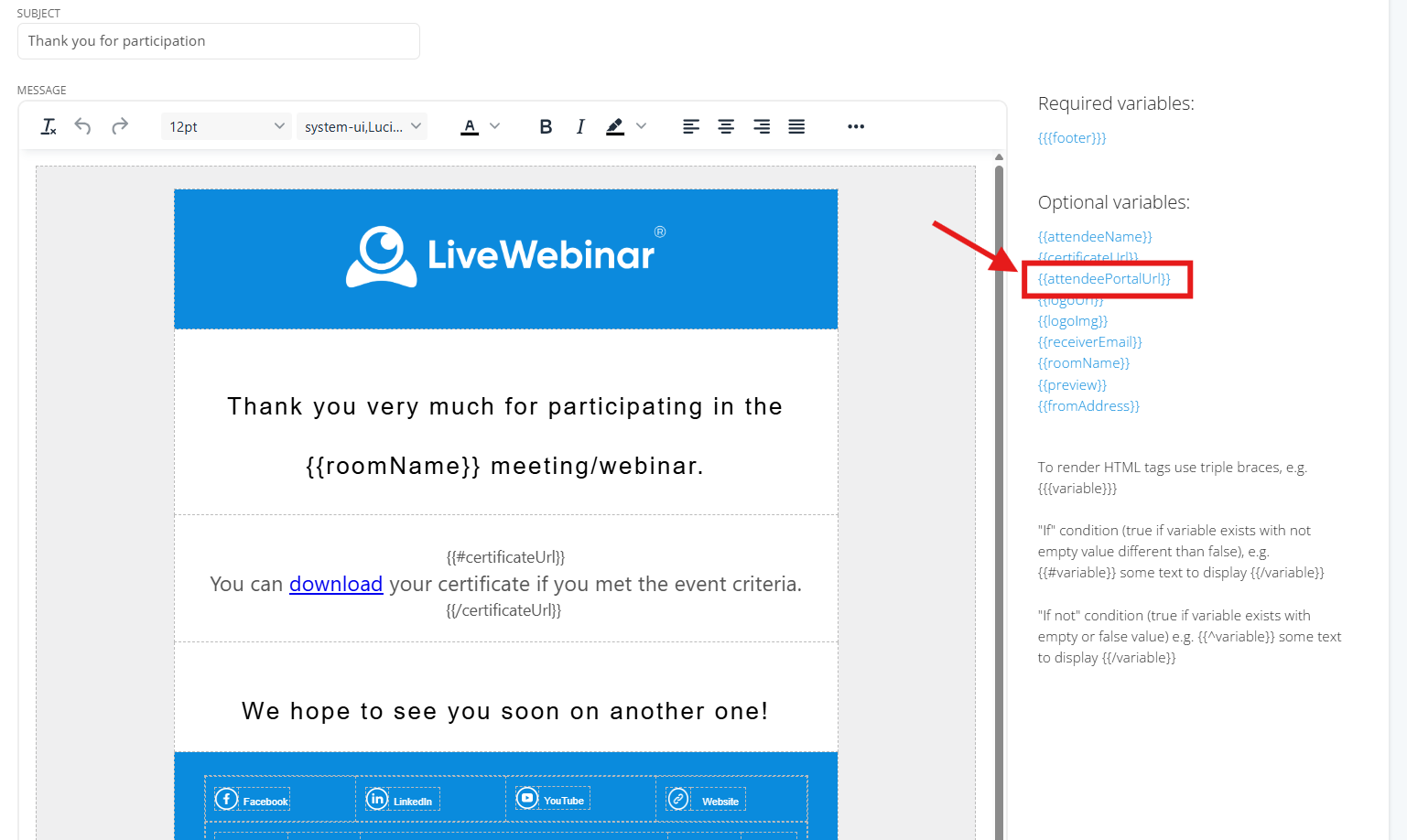 Once the email is sent, the variable will provide attendees with a link to the Attendee Portal, where they can access the recording and other materials shared during the webinar.