Tips for Attending a Successful Webinar Event
You’ve just registered for an important webinar. You’re looking forward to learning something useful, but there’s one concern: What if your microphone doesn’t work? What if you can’t find the join link? What if you miss the most important part because you joined late?
The good news is that attending a webinar doesn’t have to be complicated.
With about 10 minutes of preparation, you can make sure you’re ready to join in, participate, take notes, and deal with common technical issues if they happen. Whether you’re joining from your laptop, tablet, or phone, a few simple steps can make the whole experience much smoother.
What can you achieve with a little preparation?
A few simple steps before a webinar can help you avoid common technical problems, stay organized, participate more actively, and get more value from the event.

Your Quick Webinar Checklist
Before you join, take a few minutes to get everything ready. Most webinars have a 20–30-minute core presentation, followed by Q&A, so it’s worth blocking around 45–60 minutes in your calendar.
- Register and confirm your spot.
- Add the webinar to your calendar.
- Check your device and internet connection.
- Join from your desktop or mobile device.
- Enable your microphone and camera if requested.
- Participate through chat and polls.
- Save handouts and take notes.
- Stay for Q&A and know what to do if something goes wrong.
Let’s look at each step in more detail.
What Do You Need Before Joining a Webinar?
First, make sure you have received your registration confirmation email and the webinar link. Some events may also require a passcode. Some live webinars have a limited number of spaces, so registering early and keeping your confirmation handy will save you unnecessary stress.
You’ll also need a modern browser and a stable internet connection. If possible, avoid joining while your connection is being used for heavy downloads or other demanding activities.
And don’t forget about your calendar. Webinars can take place at different times depending on the organizer and your location, so always double-check the time zone.
1. Register Early and Confirm Your Spot
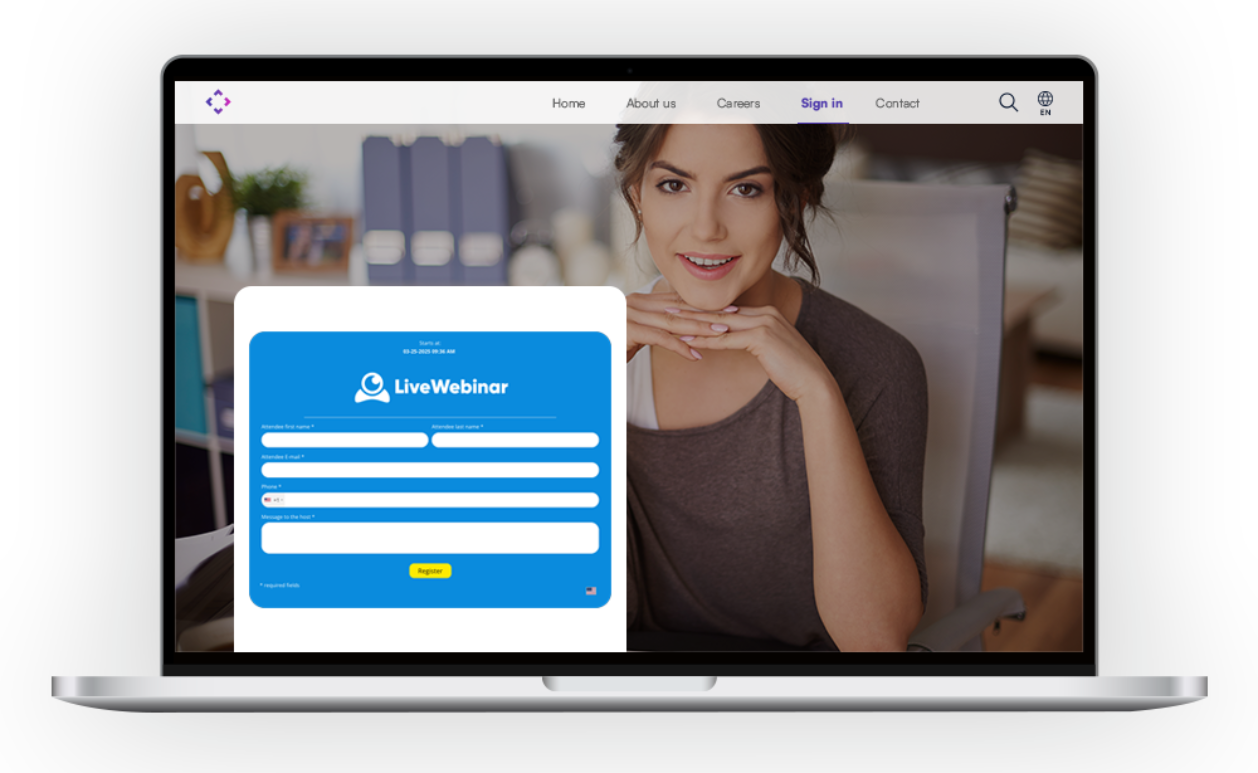
Once you find a webinar you want to attend, complete the registration form and check your inbox for the confirmation email.
It’s also a good idea to add the sender to your contacts or whitelist the email address so that reminders don’t end up in your spam folder.
Did you know?
Not every person who registers will attend live. Typical webinar attendance is around 30%–50% of registrants, which means organizers may register more people than they expect to have in the live session. Read more in our other blogpost about attendance rates.
So if you’ve registered for an event you really want to attend, don’t rely on the registration alone. Put it in your calendar and set a reminder. Some professional webinar platforms send SMS reminders to the registrants, which is handy and helps people remember about the event. One of such platforms is LiveWebinar.
2. Add the Webinar to Your Calendar
A webinar might only have a 20–30-minute presentation, but you should give yourself some extra time for introductions, Q&A, and possible overruns.
A 45–60-minute calendar block is a good starting point.
Also, pay attention to the time zone. Many webinars are hosted between 12 p.m. and 11 p.m. Eastern Time, so always convert the event time to your local time.
Setting a reminder 10 minutes before the event can also help you avoid the classic “I completely forgot about the webinar” situation.
3. Test Your Device, Browser, and Internet
You don’t need a full technical setup to attend a webinar. But a quick check before joining can prevent many common problems.
Spend a minute checking:
- Is your browser up to date?
- Is your internet connection stable?
- Can you hear audio from your device?
- Are your speakers or headphones working?
- Are pop-ups allowed if the webinar platform requires them?
Headphones can also be useful if you’re joining from a busy environment or want to avoid audio feedback.
If the webinar offers a phone dial-in option, keep those details nearby. They can be useful if your computer's audio suddenly stops working.
4. Joining from Your Phone? No Problem
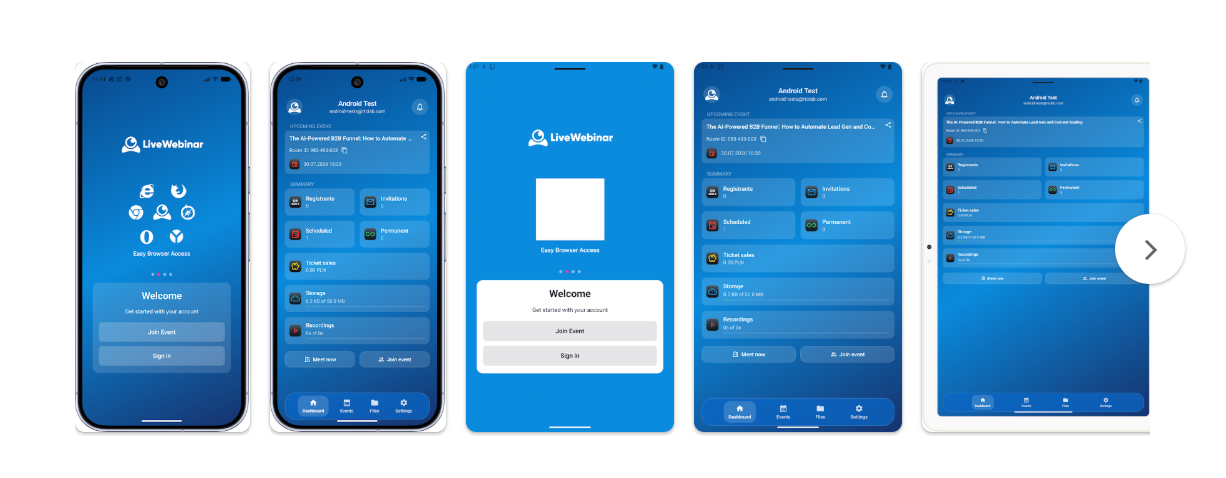
You don’t always need a laptop to attend a webinar. If you’re traveling, working remotely, or simply away from your desk, you may be able to join directly from your mobile device.
Make sure you have a stable Wi-Fi or 5G connection. If the webinar includes presentations or lots of chat activity, turning your phone sideways can make the content easier to follow.
The interface may look slightly different on mobile, but the main controls should still be easy to access. Keep an eye on the chat and Q&A if you want to participate actively.
Want more mobile webinar tips?
Check out our guide to optimizing webinar content for mobile viewers.
5. Keep Your Microphone and Camera Under Control
Not every webinar requires you to speak or turn on your camera.
Unless the host asks you to participate verbally, it’s usually best to keep your microphone muted. This prevents background noise from interrupting the speaker.
If you’re invited to speak or join a live Q&A, simply unmute yourself when needed.
If the host asks participants to use their cameras, quickly check your lighting and background before turning your video on. Some webinars, however, rely mainly on chat, polls, and other interactive tools instead of open microphones and cameras. It is also good to turn on your virtual background.
6. Get Involved: Use Chat and Polls
One of the biggest advantages of a live webinar is the opportunity to interact.
Don’t just watch passively. If the host asks a question in a poll, take part. If you have a relevant question, use the chat or Q&A feature.
Polls can help presenters understand what their audience thinks or knows, while chat gives attendees a simple way to ask questions and share thoughts.
Some webinars also use small prizes or other incentives to encourage participation. So if you see an interactive prompt, it may be worth joining in.

Want more ideas for engaging during webinars?
Check out our guide to webinar interaction techniques.
7. Save the Useful Stuff
A webinar can give you a lot of information in a short amount of time. Don’t rely entirely on your memory.
If the organizer provides handouts, worksheets, presentations, or other resources, download them before leaving the session. These materials can help you put what you’ve learned into practice later.
It can also help to write down timestamps when something particularly useful comes up. If the webinar is recorded, you’ll know exactly where to go when you want to revisit that section.
8. Stay for the Q&A
It can be tempting to leave as soon as the main presentation ends. But the Q&A is often where you can get the most specific answers.
If you have a question, keep it short and clear. That makes it easier for the presenter to understand and answer it quickly.
LiveWebinar data:
Webinars with 100–199 attendees have an average conversion rate of around 50%, while corporate webinars can have attendance rates around 65%.
Staying until the end also means you won’t miss important links, resources, or information about what happens next.
Troubleshooting: What If Something Goes Wrong?
Even with good preparation, technical issues happen. The key is not to panic.
No audio?
Try switching your audio output device, checking whether you’re muted, or refreshing the webinar page. If a phone dial-in option is available, you can use it as a backup.
The video or slides are frozen?
Close unnecessary browser tabs and apps. If the platform allows you to change the video quality, try lowering the resolution. You can also leave the room and rejoin using the same link.
You can’t enter the webinar room?
First, check that you’re joining at the correct time and that you’re using the right link or passcode. If you’re still having trouble, try opening the link in an incognito window or joining from your mobile device.
Frequently Asked Questions
How early should I join the live webinar?
Try to arrive 5–10 minutes early. This gives you time to check your audio, solve any connection issues, and make sure you’re ready when the webinar begins. This can be especially useful for live sessions with limited capacity.
How long do most webinars last?
Many webinars have a 20–30-minute core presentation, followed by Q&A or discussion. It’s a good idea to leave some extra time in your schedule in case the session runs longer.
What time of day are webinars usually scheduled?
Webinars can take place at almost any time, but a common hosting window is between 12 p.m. and 11 p.m. Eastern Time. Always check the organizer’s time zone and convert it to your local time.
What if I can’t attend the webinar live?
Check whether the organizer offers a recording or on-demand version. Evergreen webinars remain available after the original event and allow attendees to watch the content later.
You can also learn more about live vs. evergreen webinars and how evergreen webinars work on LiveWebinar.
Ready for Your Next Webinar?
Attending a webinar doesn’t require much preparation. Register early, add the event to your calendar, test your device, and join a few minutes before the start. Once you’re in, participate, save useful resources, and stay for the Q&A.
And if you’re joining a webinar hosted with LiveWebinar, you can access the event directly from your browser and use attendee features such as chat, polls, and shared materials without needing a complicated setup. You can learn more about LiveWebinar and how webinar registration pages work.