Scrum demos are one of the most important moments in every Agile sprint review, but too often, they feel chaotic, rushed, or simply uninspiring. Remote teams struggle with engagement, stakeholders lose focus, and valuable product updates fail to create excitement. In this guide, you’ll learn how to make scrum demos more effective, and how to engage stakeholders in sprint demos using the power of webinars.

Table of Contents
How to Make Scrum Demos More Effective?
You’ve probably seen it yourself: long sprint demos, low participation, awkward silences, distracted stakeholders, or demos that feel more like technical status reports than collaborative discussions.
The truth is simple: traditional Scrum demos often fail because they weren’t designed for modern remote collaboration.
That’s where webinars can completely change the game. By combining Scrum methodology with interactive webinar tools, agile teams can create structured, engaging, and highly collaborative sprint demos that keep people interested and aligned.
The Basics: A Quick Refresher on Scrum
Before we look at how webinars transform the demo process, let’s quickly break down how the Scrum framework works. If you are new to Agile, or just need a refresher, Scrum is built on three simple core pillars: philosophy, roles, and process.
1. The Core Philosophy (Scrum Theory)
Scrum is built on empiricism (the belief that knowledge comes from experience and making decisions based on what is observed) and Lean thinking (reducing waste and focusing on essentials). This philosophy stands on three pillars:
- Transparency: Work, progress, and problems must be visible to everyone involved.
- Inspection: The team regularly checks their work and progress to spot issues early.
- Adaptation: If something isn't working or the market changes, the team adjusts its course immediately rather than blindly following an outdated plan.
2. The Scrum Team (The Roles)
A Scrum team is small (typically 10 or fewer people), cross-functional, and self-managing. It consists of three specific roles:
- Product Owner: Represents the customer or business. They decide what needs to be built and maintain a prioritized to-do list called the Product Backlog.
- Developers: The people doing the actual hands-on work (programmers, designers, writers, etc.). They decide how to build the pieces of the project.
- Scrum Master: The facilitator and coach. They don't manage the people, but they manage the process, ensuring the team understands Scrum principles and removing any roadblocks that slow the developers down.
3. The Scrum Process (The Events)
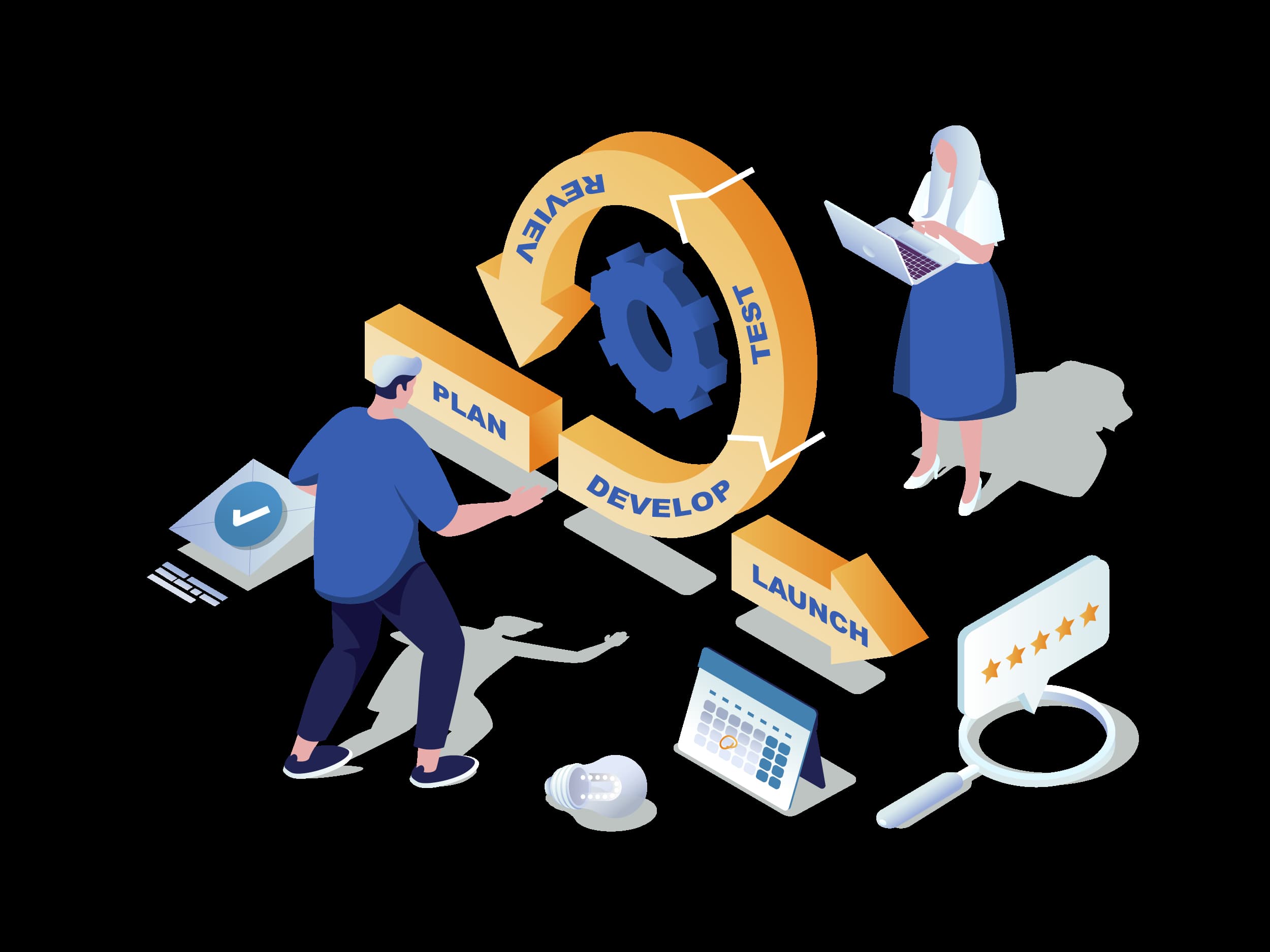
Scrum operates in structured cycles called Sprints. A Sprint is a fixed period (usually 2 to 4 weeks) during which a specific, usable chunk of work is completed. Each Sprint includes four key events:
- Sprint Planning: At the start of the Sprint, the team meets to choose the highest-priority items from the Product Backlog and plan exactly how they will execute them over the coming weeks.
- Daily Scrum: A brief, 15-minute daily meeting where developers sync on their progress, align on the day's goals, and flag any obstacles.
- Sprint Demo: At the end of the Sprint, the team showcases what they built to stakeholders and clients to gather real feedback. (This is your Scrum Demo!)
- Sprint Retrospective: Before the next cycle begins, the team meets privately to look back at how they worked together and pick 1 or 2 process improvements for the next Sprint.

Why Traditional Scrum Demos Often Fail in Remote Work
Scrum demos should showcase progress, gather feedback, and build alignment around the product. But in reality, many sprint demos become chaotic meetings that leave everyone mentally checked out.
The most common problems include:
- Too much technical jargon
- Poor meeting structure
- Low stakeholder participation
- Lack of audience interaction
- Remote attendees multitasking during demos
- Difficulty collecting feedback in real time
For distributed teams, the problem becomes even bigger. Without the proper engagement tools, remote sprint demos can feel disconnected and impersonal.
The Solution: Why Webinars Are Perfect for Agile Sprint Demos
Webinars as scrum tools for distributed teams naturally solve many of the communication problems Agile teams face during sprint demos.
Unlike ordinary video meetings, webinar platforms are built to structure presentations, manage engagement, and guide audience attention. They have become a popular agile project management tool.
A well-organized webinar transforms a Scrum demo from “another online meeting” into an interactive product experience.
Instead of passively listening, stakeholders can:
- Ask questions in real time
- Participate in polls
- React during demonstrations
- Engage through chat
- Provide immediate feedback
This creates a much more dynamic and collaborative environment.
For Agile teams, that means better conversations, clearer communication, and faster decision-making.

Step-by-Step: Key Elements of a High-Converting Scrum Demo Webinar
#1. Start With a Clear Agenda
One of the biggest mistakes Agile teams make is jumping straight into the demo without context.
A successful Scrum demo webinar should follow a structured flow:
- Sprint goals recap
- Key product updates
- Live feature demonstrations
- Stakeholder feedback
- Q&A session
- Next sprint preview
This creates clarity and helps attendees stay focused throughout the presentation.
#2. Tell a Story – Don’t Just Present Features
Many Scrum demos fail because they focus too heavily on technical details instead of user value. Stakeholders don’t just want to see what was built. They want to understand:
- Why it matters
- What problem it solves
- How it improves the user experience
This is where storytelling becomes incredibly powerful. Instead of saying:
“We added a new dashboard filter.”
Frame it like this:
“Users were struggling to find key analytics quickly, so we created a new filtering system that reduces reporting time by 40%.”
The second version creates emotional context and business relevance.
#3. Keep the Presentation Concise
Attention spans are short – especially during remote meetings. The most effective Scrum demo webinars are focused and concise. Aim for:
- 30–45 minutes maximum
- Clear transitions between topics
- Short feature walkthroughs
- Interactive moments every few minutes
Long demos almost always reduce engagement.
Top Interactive Features for Agile Collaboration
If you are looking for fresh, interactive sprint demo ideas, modern webinar platforms offer a complete paradigm shift. Instead of one-way communication, teams can create real conversations. By utilizing features like live polls, digital whiteboards, and dedicated Q&A slots, you transform a dry technical review into a live, collaborative product roadmap session. It turns out that the best agile project management tools aren't just the ones that track tasks, but the ones that facilitate true communication.
#1. Live Polls
Polls are incredibly effective during sprint demos. For example:
- “Which feature should we prioritize next?”
- “How intuitive does this workflow feel?”
- “Would this update improve your daily workflow?”
This gives product teams immediate stakeholder insight.
#2. Q&A Sessions
Stakeholders often hesitate to interrupt during regular meetings. Dedicated Q&A sections create a safer space for discussion and clarification. This improves communication, transparency, poduct understanding, and team alignment.
#3. Screen Sharing and Whiteboards
Webinar tools allow teams to visually explain workflows, architecture, and product journeys in real time. Whiteboards are especially useful for:
- UX discussions
- Feature mapping
- Sprint planning conversations
- Brainstorming sessions
Visual collaboration keeps everyone aligned.
Live vs. Recorded Scrum Demo Webinars: Which One to Choose?
Not every stakeholder can attend live sprint demos, especially in global teams. That’s why recorded webinar demos are becoming increasingly valuable.
Benefits of Live Scrum Demo Webinars |
Benefits of Recorded or Evergreen Demos |
| Better collaboration | Share updates across time zones |
| Real-time interaction |
Onboarding new stakeholders |
| Instant feedback | Document sprint progress |
| Stronger engagement | Reduce repetitive meetings |
| Ideal for: sprint demos, stakeholder discussions, product feedback sessions | Ideal for: onboarding, document review, in-company training |

How LiveWebinar Helps Agile Teams Run Better Scrum Demos
Choosing the right platform makes a huge difference. LiveWebinar has specific features that make it easy to bridge the gap between technical work and professional client presentations:
- Branding Tool: First impressions matter. You can completely customize your virtual meeting room, waiting rooms, and registration pages with your company’s logos and colors, making your team look polished and professional.
- HD Screen Sharing: Design details matter. With crystal-clear HD streaming, your apps, designs, and animations look exactly the way they are supposed to be on the client’s screen.
- Easy Cloud Recordings: You can easily record the entire session and share it with busy stakeholders who can’t make the live call. It also gives your developers a perfect reference point to look back at if they need to check specific client feedback later.
- Browser-Based Meetings: No downloads. No complicated setup. Stakeholders can join instantly through their browser, which significantly improves attendance and accessibility.
- Interactive Webinar Rooms: LiveWebinar includes polls, chat, Q&A, Whiteboards, Call-to-action buttons.
This is exactly where LiveWebinar for agile teams becomes a game-changer.
4 Common Sprint Demo Mistakes to Avoid
Even experienced agile teams make mistakes during demos. Keep an eye out for these four pitfalls:
- Chaotic Presentation: Fumbling between browser tabs or showing random code lines confuses the client. The Fix: Have a clear, pre-planned order of events and let one or two confident speakers handle the screen sharing.
- Showing Broken Features: Trying to show a feature that keeps crashing just to prove you "worked on it" ruins trust. The Fix: Only demo things that are stable and fully working. If a feature is only 90% done, wait until the next Sprint.
- No Clear Structure: Running a demo without an introduction or a wrap-up feels like a waste of time. The Fix: Treat the demo like a mini event with a clear beginning (context), middle (the live walkthrough), and end (feedback and planning).
- Defending Blunders: Getting defensive when a client points out a flaw ruins the collaborative spirit. The Fix: Have the Scrum Master or Product Owner write down all feedback without arguing and explain how the team will look at it during the next planning session.
Final Thoughts
Scrum demos shouldn’t feel like routine status meetings people endure out of obligation. They should create clarity, excitement, collaboration, and momentum around the product.
That’s why webinars are becoming such a powerful tool for Agile teams. They combine structure, interactivity, and scalability in a way traditional meetings simply can’t.
If your sprint demos currently feel chaotic, disengaging, or forgettable, webinar technology may be exactly what your Agile workflow is missing.
With LiveWebinar, teams can transform ordinary Scrum demos into engaging, professional, and collaborative product experiences that move projects forward.
Ready to improve your Scrum demos?
Try LiveWebinar for free and see how interactive webinars can completely transform Agile communication.
You can also book a Live Demo with our experts to see how our fully customizable platform can take your team's Scrum workflow to the next level!
Frequently Asked Questions (FAQ)
Q: How long should an effective Scrum demo be?
A: An effective Scrum demo webinar should last between 30 and 45 minutes. Keeping it concise ensures high stakeholder engagement and prevents remote attendees from multitasking.
Q: What is the main purpose of a Scrum demo?
A: The primary purpose of a Sprint Demo is to showcase progress, gather immediate stakeholder feedback, and align the team around the next product steps.
Q: How can you engage stakeholders during a remote Scrum demo?
A: You can maximize engagement by using interactive webinar tools such as live polls, dedicated Q&A sections, real-time chat, and digital whiteboards for feature mapping.