Webinar technology is always evolving – and at LiveWebinar, we’re all about staying ahead of the curve. That’s why we’ve rolled out a series of powerful updates designed to make your webinar experience smoother, smarter, and more engaging than ever – on any device and from anywhere. Beneath you'll find a list of the most important improvements introduced in LiveWebinar in 2025.
Let’s take a look at what’s new and how it can transform the way you host and attend webinars.

Our latest updates are packed with smart, practical features that make it easier for you to host, easier for your audience to join, and way easier to wow everyone from the very first click.
Ready to level up your webinars? Let’s dive into the newest tools – and real-world ways you can use them today.
Table of contents
1. QR Code access: A simpler way to join
2. Smoother mobile experience: updated app & UI
3. Redirecting registrants to a specific URL during registration
#1 QR Code access: A simpler way to join
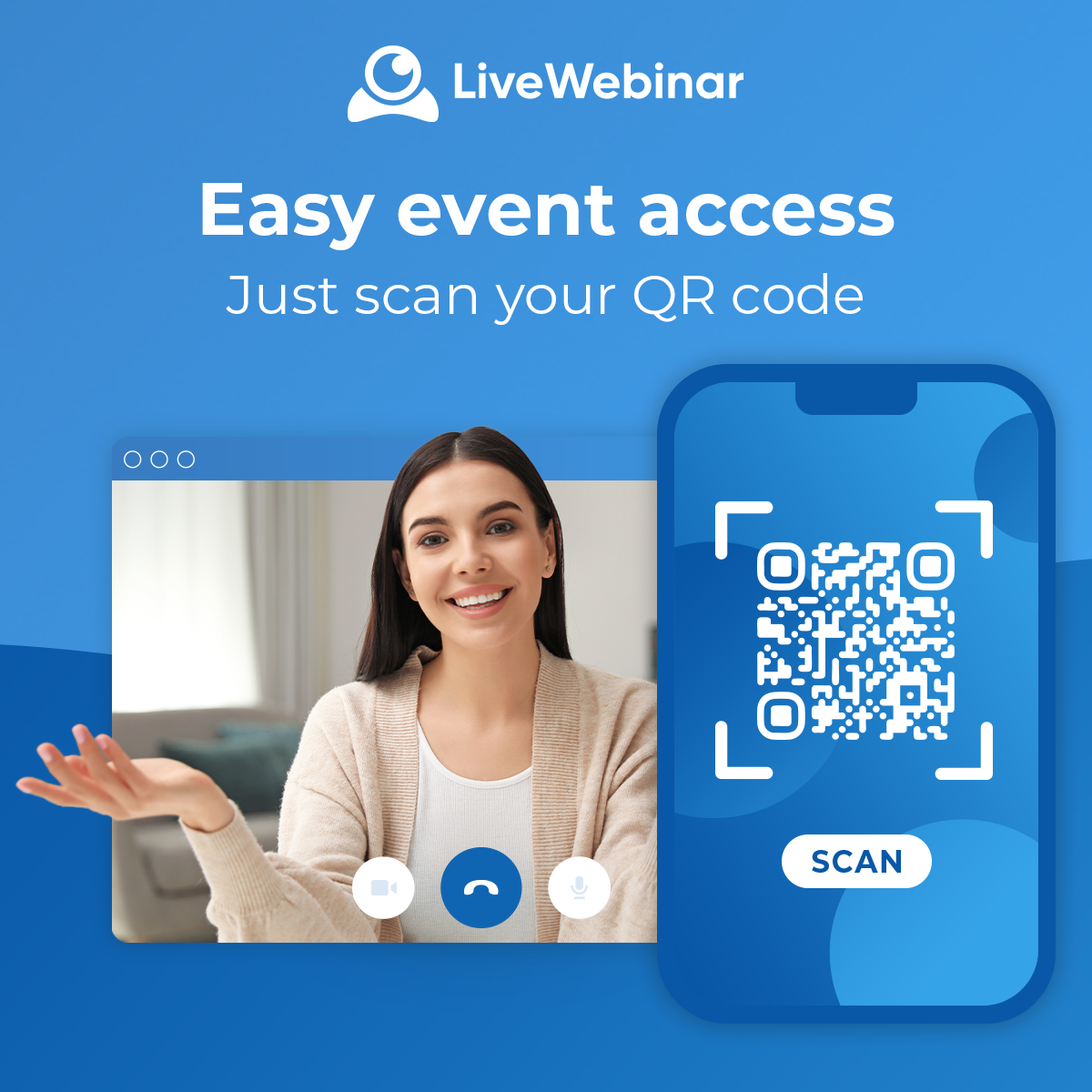
Gone are the days of long registration links or complicated logins. With our new QR Code access, joining a webinar is as easy as a quick scan.
How it works
When setting up your webinar in LiveWebinar, you can now generate a unique QR code with a single click. This QR code instantly links to your webinar’s registration or access page, depending on your settings.
You can download the code and add it to event materials, emails, or even presentation slides. When someone scans the code using their phone or tablet, they’ll be taken directly to the event - no typing, no fuss.
Practical use cases
QR codes are a powerful addition to your webinar promotion toolkit, especially when you're reaching an audience across multiple channels. Here are some smart ways to use them:
- Trade Shows & Conferences: Print the QR code on booth displays or handouts so attendees can register on the spot.
- Flyers & Posters: Include QR codes in offline marketing materials like posters in coworking spaces, cafés, or office lobbies.
- Email Campaigns & Newsletters: Make it easy for readers to join your next session straight from their inbox by scanning the code on their mobile device.
- During Presentations or Meetings: Hosting a live session? Show the QR code on your slides or screen for instant attendee sign-up or follow-up session registration.
Why it matters
While this feature may seem small, in today’s mobile-first world, its impact is anything but. For organizers, QR code access significantly streamlines the registration process. Instead of relying on long, clunky URLs that can deter potential attendees, they can now offer a quick and easy way to sign up, whether it’s through a printed flyer, a digital ad, or a live presentation. This reduces the chances of drop-offs and makes promoting webinars far more flexible across both online and offline channels.
For attendees, the benefits are just as powerful. It removes the hassle of typing out web addresses or clicking through multiple links, especially frustrating on mobile devices. Instead, they get instant access with a single scan. It’s a seamless, modern experience that aligns perfectly with how people already interact with apps, restaurant menus, payments, and more. Simple, fast, and familiar, just the way today’s users like it.
Bonus Tip:
Pair your QR code with a short call-to-action like “Scan to Join” or “Reserve Your Spot Now” for even better results. Visual cues make it more likely that people will engage with the code and sign up.Bottom of Form
Read more here: How to add a QR code with a link to your webinar
#2 Smoother mobile experience: updated app & UI
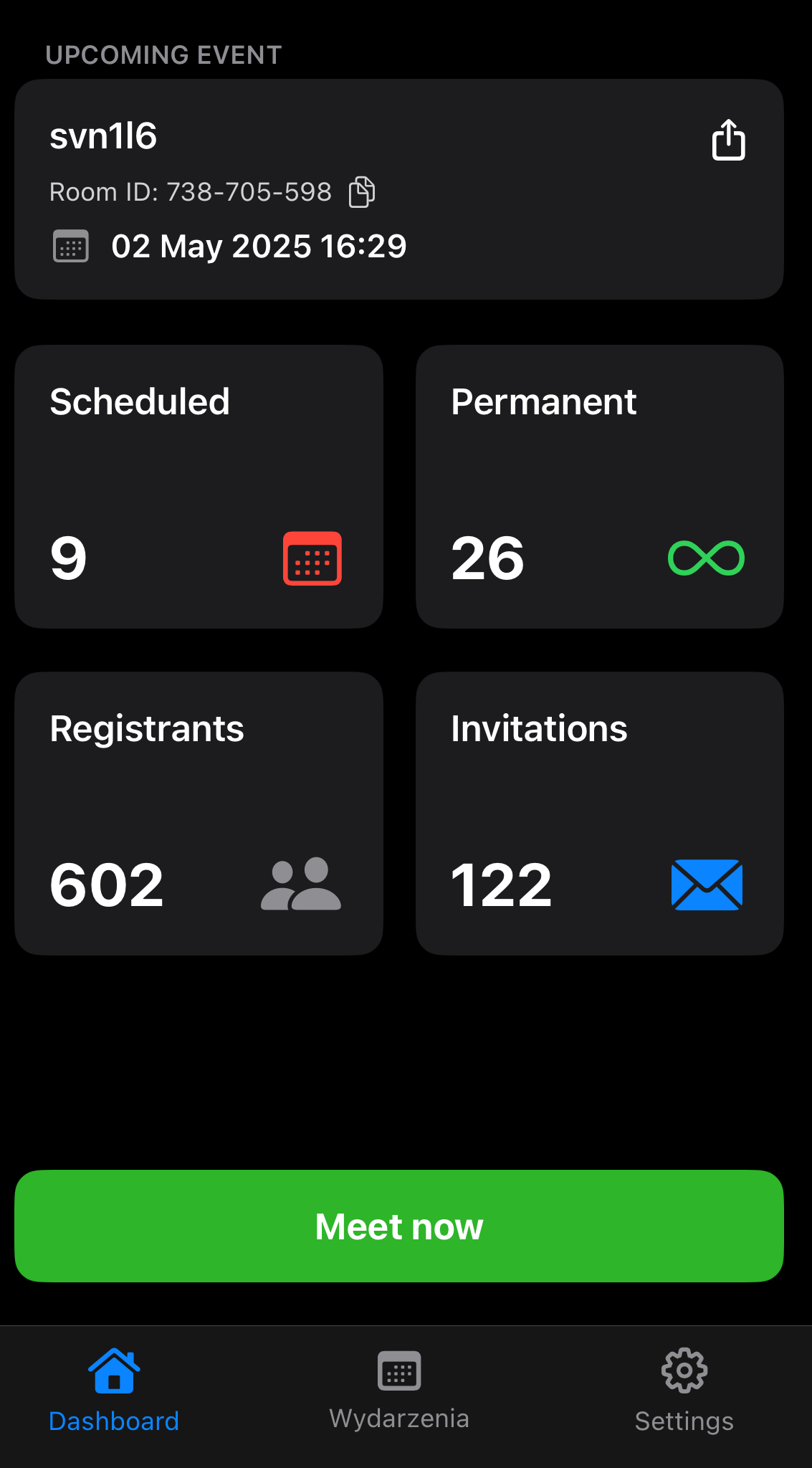
More people are joining webinars on the go, and we’ve made it easier than ever for them to stay connected with our enhanced mobile version. With an updated, more intuitive user interface and full optimization for all devices, LiveWebinar now delivers a smooth, reliable experience whether attendees are tuning in from a smartphone, tablet, or laptop. The new design ensures that navigation is effortless, content is clear, and interactions feel natural, no matter where your audience is or what device they’re using.
Why it matters:
Whether someone’s tuning in from a coffee shop, the airport, or their home office, the new mobile interface makes sure your content looks great and runs smoothly.
#3 Redirecting registrants to a specific URL during registration
Webinar registration isn’t the end of the user journey - it’s the beginning of a deeper relationship. That’s why LiveWebinar now lets you set a custom redirect URL for every registration. Once someone signs up for your event, you can instantly send them to a destination that builds excitement, delivers value, or moves them further down your funnel.
That brief moment after someone registers is a prime opportunity to engage. If the user is interested, active, and paying attention, don’t waste it on a default confirmation screen. Instead, redirect them to something meaningful and strategic.
Where you can send registrants:
- Thank-you Page – Reinforce your brand, express appreciation, and provide additional info about the event.
- Product Demo or Trial Signup – Encourage registrants to explore your product before the webinar even starts.
- Exclusive Landing Page or Resource – Offer a downloadable guide, case study, or early access content.
- Calendar Invitation or Booking Tool – Make it easy for attendees to save the event to their calendar or book a 1:1 meeting.
Why it matters?
Using custom redirects after someone registers for your webinar might sound like a small detail, but it can make a big difference. Instead of sending people to a basic confirmation page, you can guide them to a more useful next step, like a thank-you page, a product demo, or a helpful resource. This helps keep their interest high and gently moves them closer to taking action.
It also gives you better control over tracking. By adding UTM links to your redirects, you can see which campaigns are performing best and make smarter decisions moving forward. Most importantly, a custom redirect helps create a smooth, branded experience that feels thoughtful and professional from the moment someone signs up.
Bonus ideas to maximize redirects:
- Use dynamic landing pages based on webinar topics to tailor messaging.
- Add a short video to your thank-you page welcoming the registrant.
- Offer a limited-time offer to create urgency right after sign-up.
Example:
Imagine you’re hosting a product webinar for your SaaS platform. After someone registers, instead of landing on a plain confirmation page, they’re taken to a well-designed "Thank You" page. There, they see a short welcome video from the speaker, a clear button inviting them to start a free trial, and a downloadable checklist to help them prepare for the session. This simple but thoughtful flow not only looks polished. It sets the tone for the event, builds excitement, and starts engaging your audience right away. It also gives you a valuable head start in nurturing leads before the webinar even begins.
#4. Countdown timer in forms
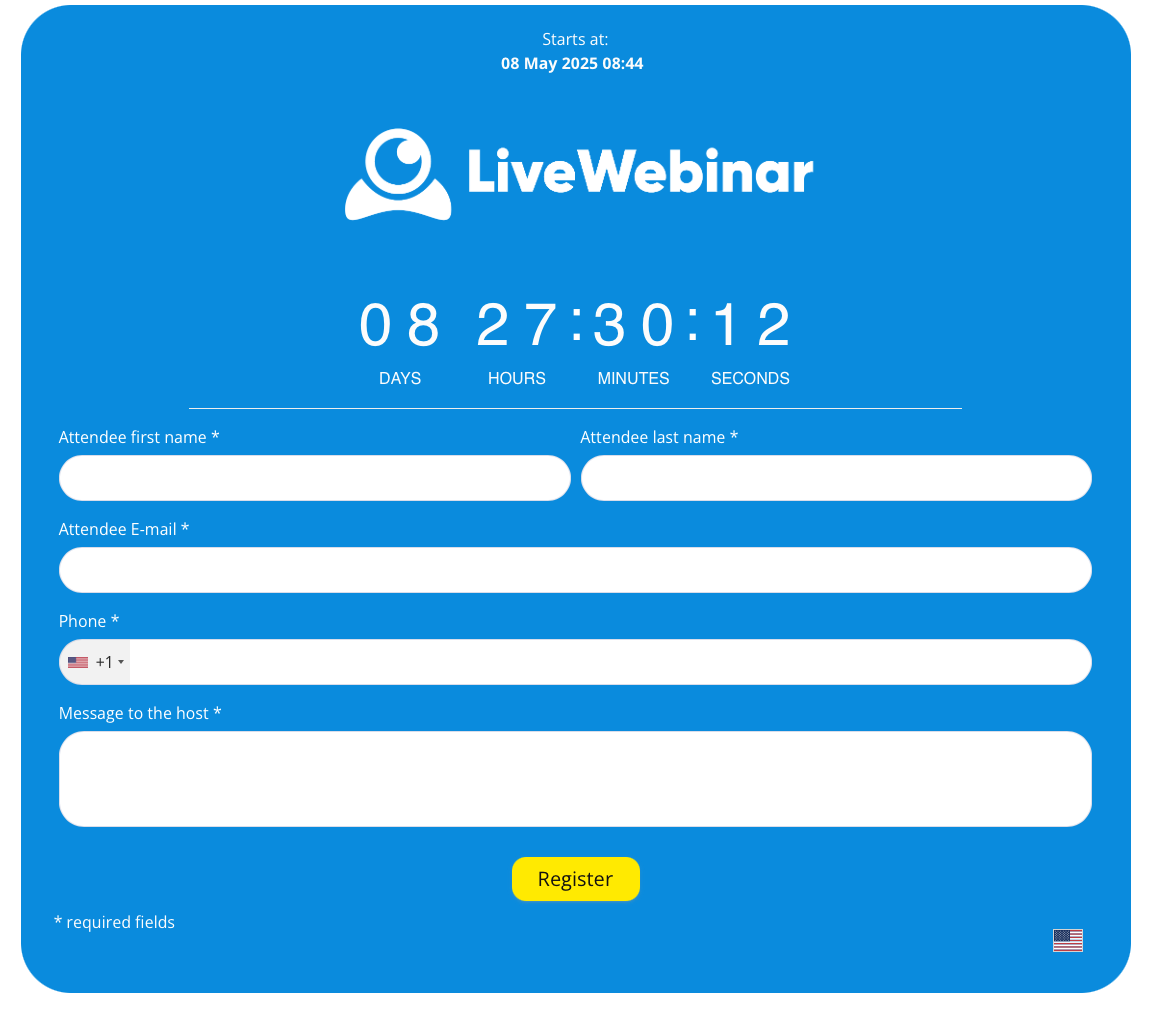
Nothing sparks action quite like a ticking clock, and that’s exactly why we’ve added a countdown timer to our registration forms. This simple visual cue creates a sense of urgency, encouraging visitors to sign up right away instead of putting it off. It works because people are naturally more likely to act when they know time is limited. By tapping into that psychology, the countdown timer helps boost conversion rates and reduces those “I’ll do it later” moments that often lead to drop-offs.
SMS Gateway Integration
Stay in constant contact with your audience, no matter where they are. With SMS Gateway Integration, you can easily send invitations or event links directly to participants’ mobile phones. It’s a fast and reliable communication channel that works perfectly for large online events, hybrid training, or live conferences.
Thanks to this integration, you don’t have to rely solely on email messages — now you can reach your audience in a more direct and effective way. It’s an ideal solution when time, quick response, and reliable information delivery really matter.
Embed Registration Forms
Registering for an event has never been easier. This feature allows you to embed registration forms directly on your website, blog, or landing page, without the need to redirect users elsewhere. This solution significantly shortens the user journey and improves the participant experience. The forms are fully customizable, so you can match them to your site’s look and feel, add your own fields, and integrate them with other marketing tools.
This leads to higher conversion rates and more registered participants — which is exactly what every online event organizer wants.
#7 New iOS & iPad Mobile App
With LiveWebinar, you can work wherever it’s most convenient for you. The new mobile app for iOS and iPad has been designed to let you host and manage webinars from anywhere — in the office, on the go, or at home. The app gives you full control over your meetings: you can easily manage participants, share materials, deliver presentations, and monitor live statistics — all within an intuitive and user-friendly interface.
It’s the perfect solution for those who value flexibility, mobility, and convenience, without sacrificing the full range of features available in the browser version.
How these updates can help you host better webinars
These updates aren’t just bells and whistles – they’re practical tools designed to make your job easier and your webinars more effective.
Here’s what you get:
- More attendees through easier access and urgency-driven signups
- Better engagement on mobile with a smoother interface
- Higher conversion with smarter post-registration flows
- Less hassle with built-in tools that save time and effort
Whether you’re running lead-gen sessions, training programs, or product demos, these updates will help you deliver a more polished, engaging experience from start to finish.
Try these new features today!
Ready to see what the latest version of LiveWebinar can do for your next event? Sign up to LiveWebinar and explore the updates for yourself
We’re committed to helping you create webinars that work harder, look better, and convert faster. Give the new tools a spin—we think you’re going to love them.