Best Online Meeting Apps: A Complete Guide for 2026
Online meetings have become a standard part of how businesses communicate, collaborate, train employees, meet customers, and work with distributed teams. But choosing the best online meeting app is not simply about finding the platform with the most features.
The right choice depends on what you need to accomplish. This guide compares popular online meeting apps and explains which type of meeting each platform is best suited for, what features matter most, and how to choose the right solution for your organization.

Quick Answer: What Is the Best Online Meeting App?
The best online meeting app depends on your use case.
Zoom is a strong general-purpose option, Microsoft Teams works particularly well for organizations using Microsoft 365, Google Meet is a natural choice for Google Workspace users, Slack Huddles are useful for informal team discussions, Webex is well suited to enterprise environments, while LiveWebinar is particularly useful for meetings that combine collaboration, training, presentations, engagement, recording, and webinar capabilities.
- Best for meetings, training and webinars: LiveWebinar
- Best for general-purpose video meetings: Zoom
- Best for Microsoft 365 organizations: Microsoft Teams
- Best for Google Workspace users: Google Meet
- Best for informal team conversations: Slack Huddles
- Best for enterprise video conferencing: Cisco Webex
Table of Contents
- What Is an Online Meeting App?
- Best Online Meeting Apps at a Glance
- LiveWebinar – Best for Meetings, Training and Interactive Events
- Zoom – Best for General-Purpose Online Meetings
- Microsoft Teams – Best for Microsoft 365 Organizations
- Google Meet – Best for Google Workspace Users
- Slack Huddles – Best for Informal Team Conversations
- Cisco Webex – Best for Enterprise Video Conferencing
- How to Choose the Best Online Meeting App
- Online Meeting Apps vs. Webinar Platforms
- What Is the Best Online Meeting App for Your Business?
- Frequently Asked Questions
1. What Is an Online Meeting App?
What is an online meeting app?
An online meeting app is software that allows people in different locations to communicate and collaborate in real time over the internet.
Depending on the platform, online meeting software can provide video and audio conferencing, screen sharing, presentation tools, meeting chat, recording, live captions, polls, Q&A, breakout rooms, whiteboards, file sharing, scheduling, and participant management.
Common Features of Online Meeting Software
- Video and audio conferencing
- Screen sharing
- Presentation tools
- Meeting chat
- Recording
- Polls and Q&A
- Breakout rooms
- Whiteboards
- Scheduling and calendar integrations
- Participant management
2. Best Online Meeting Apps at a Glance
Different online meeting platforms are designed for different workflows. The table below provides a quick overview of the most common options and what they are best suited for.
| Platform | Best For | Key Strengths |
|---|---|---|
| LiveWebinar | Meetings, training, webinars and interactive presentations | Meetings + engagement + training |
| Zoom | General-purpose video meetings | Familiar meeting experience |
| Microsoft Teams | Microsoft-based organizations | Microsoft 365 integration |
| Google Meet | Google Workspace users | Google Workspace integration |
| Slack Huddles | Informal team conversations | Fast, spontaneous collaboration |
| Cisco Webex | Enterprise meetings | Enterprise-oriented video conferencing |
3. LiveWebinar – Best for Meetings, Training and Interactive Events
When should you choose LiveWebinar?
LiveWebinar is particularly useful when an online meeting needs to combine collaboration with training, presentations, audience engagement, recording, breakout sessions, or webinar functionality.
LiveWebinar is designed for organizations that need more than a basic video call. It combines online meetings with capabilities for webinars, training, presentations, audience engagement, and content sharing.
LiveWebinar can be used for business meetings, remote training, employee onboarding, customer education, product demonstrations, sales presentations, online courses, job interviews, webinars, interactive workshops, and partner meetings.
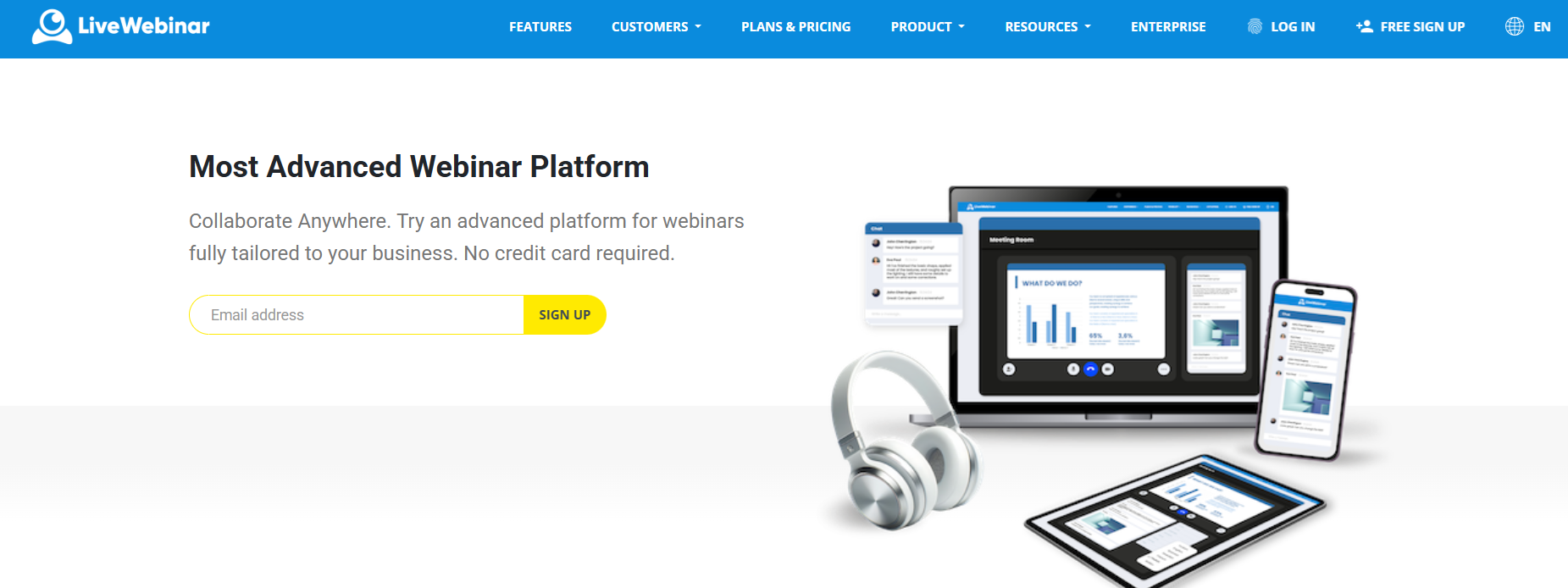
Why Choose LiveWebinar?
- Team meetings
- Remote training
- Employee onboarding
- Customer education
- Product demonstrations
- Sales presentations
- Online courses
- Interactive workshops
- Webinars and virtual events
What Features Does LiveWebinar Offer?
What can you do with LiveWebinar?
LiveWebinar combines online meetings, webinars, training, audience engagement, content sharing, recording, analytics, and live streaming in one browser-based platform.
While many online meeting apps focus primarily on video communication, LiveWebinar is designed to support a broader range of online experiences. It can be used for team meetings, remote training, product demonstrations, online courses, webinars, interviews, customer education, and interactive virtual events.
Online Meetings and Collaboration
LiveWebinar provides a dedicated environment for online meetings where participants can communicate, share content, collaborate, and present information. The platform works across devices and does not require plugins or additional installations.
- Video and audio meetings – communicate with participants in real time.
- Screen sharing – present your desktop or application to other participants.
- Virtual whiteboard – visualize ideas, annotate content, and collaborate during meetings.
- Live chat – communicate with participants and moderate conversations.
- Polls and surveys – collect feedback and opinions in real time.
- Breakout rooms – divide participants into smaller groups for workshops, brainstorming, training, or discussions.
- Tests and surveys – use interactive assessments during educational sessions.
- Participant engagement – encourage interaction throughout the event.
- Certificates – provide participants with certificates after eligible sessions or training.
- Evergreen webinars – reuse recorded content as automated, on-demand webinar experiences.
- Registration forms – collect participant information before an event.
- Landing pages – create dedicated pages for online events.
- Recurring webinars – schedule repeatable online events.
- Waiting rooms – manage participants before they enter the session.
- Participant management – manage attendees and assign roles.
- Webinar presenters – organize sessions with multiple presenters.
- Custom branding – adapt the online meeting and webinar environment to your brand.
Why does this matter when choosing an online meeting app?
If your organization only needs occasional video calls, a traditional meeting app may be enough. However, if meetings are also used for training, customer education, sales presentations, webinars, online courses, or interactive events, a platform that combines these capabilities can reduce the need to use multiple tools.
Interactive Online Meetings
One important difference between a basic video-call application and a broader meeting platform is what participants can do during the meeting. LiveWebinar supports breakout rooms, allowing hosts to divide participants into smaller groups for discussions, brainstorming, lessons, training, and collaborative work.
4. Zoom – Best for General-Purpose Online Meetings
When should you choose Zoom?
Zoom is a strong general-purpose choice for organizations that need a familiar and widely used online meeting platform.
Zoom is one of the most recognizable names in online meetings. The platform has expanded beyond video conferencing into a broader workplace platform that includes meetings, chat, phone, mail, calendar, and scheduling capabilities.
Zoom Is a Good Choice For
- Team meetings
- Client calls
- Remote collaboration
- Interviews
- Presentations
- Virtual events
5. Microsoft Teams – Best for Microsoft 365 Organizations
When should you choose Microsoft Teams?
Microsoft Teams is particularly compelling for organizations already working extensively with Microsoft 365.
Teams meetings include audio, video, and screen sharing. Participants can share their desktop, PowerPoint presentations, and other content during meetings.
Teams Is a Good Choice For
- Internal company meetings
- Project collaboration
- Microsoft 365 users
- Department meetings
- Client meetings
- Business presentations
6. Google Meet – Best for Google Workspace Users
When should you choose Google Meet?
Google Meet is particularly convenient for teams that already use Google Workspace and want meetings to fit naturally into their existing workflow.
Google Meet is Google's video conferencing solution and is closely integrated with Google Workspace. Users can join meetings through a computer browser or supported mobile applications.
Google Meet Supports
- Video meetings
- Screen sharing
- Live captions
- Polls and Q&A
- Breakout rooms
- Meeting recordings on supported plans
- Google Workspace integrations
7. Slack Huddles – Best for Informal Team Conversations
When should you choose Slack Huddles?
Slack Huddles are best suited to spontaneous conversations and quick collaboration inside Slack.
Slack Huddles are designed for spontaneous conversations that happen directly inside Slack channels or direct messages. Participants can start with audio, turn on video, share their screens, and communicate through a dedicated thread.
Slack Huddles Are Useful For
- Quick questions
- Brainstorming
- Troubleshooting
- Informal team discussions
- Document reviews
- Spontaneous collaboration
8. Cisco Webex – Best for Enterprise Video Conferencing
When should you choose Webex?
Webex is worth considering for organizations looking for enterprise-oriented video conferencing and structured virtual collaboration.
Cisco Webex is an established video conferencing platform with a strong enterprise orientation. It provides video meetings with voice and screen sharing and supports joining from different devices.
Webex Is a Good Choice For
- Enterprise video conferencing
- Business collaboration
- Large organizations
- Cross-device meetings
- Structured virtual meetings
9. How to Choose the Best Online Meeting App
How do you choose the best online meeting app?
Start with your actual meeting workflow, audience, integrations, engagement requirements, and goals rather than simply comparing the number of features offered by each platform.
Instead of asking "Which online meeting app is the best?", ask "Which online meeting app is best for the way we actually work?"
1. Consider the Type of Meeting
- Internal team meeting: Ease of use, chat and screen sharing
- Client meeting: Reliability, professional experience and presentation tools
- Job interview: Easy access, recording and privacy
- Employee training: Recording, breakout rooms and engagement
- Product demonstration: Screen sharing and presentation tools
- Online course: Breakout rooms, recording and interaction
- Webinar: Registration, engagement, recording and analytics
- Large event: Scalability, moderation and streaming
2. Look Beyond Video Calls
Video quality is important, but it is no longer enough to differentiate meeting platforms. A modern online meeting app should be evaluated based on the complete meeting workflow: before the meeting, during the meeting, and after the meeting.
3. Consider Your Audience
The best meeting platform for your employees may not be the best platform for your customers. Consider the experience from the participant's perspective, including how easily they can join and whether they need to create an account or install software.
4. Check Recording and Content Management
Recording can turn a one-hour meeting into a reusable business asset. Recordings can support employee training, customer onboarding, internal documentation, product education, course content, sales follow-ups and webinar replays.
5. Look for Engagement Features
- Polls
- Q&A
- Chat
- Reactions
- Breakout rooms
- Whiteboards
- Interactive presentations
10. Online Meeting Apps vs. Webinar Platforms
What is the difference between an online meeting and a webinar?
An online meeting is generally designed for two-way communication and collaboration, while a webinar is typically structured around presentations delivered to a larger audience.
There is some overlap between the two, but the workflows are different.
| Online Meeting | Webinar |
|---|---|
| Small or medium groups | Larger audiences |
| Two-way communication | Structured presentation |
| Collaboration | Audience engagement |
| Discussion and teamwork | Q&A and polls |
| Screen sharing | Registration and audience management |
| Team interaction | Recording and analytics |
Some platforms, including LiveWebinar, combine these experiences so organizations can move from a simple meeting to a structured webinar or training program without changing platforms.
11. What Is the Best Online Meeting App for Your Business?
There is no single winner for every organization. The right choice depends on your meeting workflow, audience, existing software ecosystem, and business goals.
- Choose LiveWebinar if you need: Meetings + training + webinars + audience engagement.
- Choose Zoom if you need: A familiar general-purpose meeting platform.
- Choose Microsoft Teams if you need: Meetings integrated into Microsoft 365.
- Choose Google Meet if you need: Meetings integrated with Google Workspace.
- Choose Slack Huddles if you need: Fast, informal team conversations.
- Choose Webex if you need: Enterprise-oriented video conferencing.
Frequently Asked Questions About Online Meeting Apps
What is the best online meeting app?
The best online meeting app depends on your needs. Zoom, Microsoft Teams, Google Meet, Slack Huddles, Webex, and LiveWebinar all serve different use cases. The right choice depends on factors such as meeting size, integrations, audience, engagement requirements, recording, and whether you need webinar or training capabilities.
What is the best free online meeting app?
Several major platforms offer free or no-cost meeting options, but their limits differ. Google Meet, Zoom, Webex, and Slack all offer free functionality with varying restrictions. Check the current plan limitations before choosing a platform for business use.
What is the easiest online meeting app?
Ease of use depends on what your participants already know. Familiarity can be just as important as the interface itself. A platform that integrates with the tools your team already uses can also reduce friction.
What is the best online meeting app for remote teams?
Microsoft Teams, Google Meet, Zoom, Slack Huddles, and LiveWebinar can all work well for remote teams. The best choice depends on whether your priority is everyday communication, collaboration, formal meetings, training, or webinars.
What is the best online meeting app for training?
For structured training, look for more than video conferencing. Recording, breakout rooms, screen sharing, polls, Q&A, participant management, and reusable content can all be important. LiveWebinar is particularly suited to this use case because it combines online meetings with webinar and training functionality.
What is the best online meeting app for large groups?
For large meetings, compare participant limits, moderation tools, reliability, recording, streaming, and audience engagement features. Maximum capacity often depends on the specific plan rather than the application as a whole.
Can online meetings replace in-person meetings?
Not completely. Online meetings work particularly well for remote collaboration, recurring meetings, training, presentations, interviews, and distributed teams. In-person meetings can still provide advantages for relationship-building, workshops, and situations where physical presence is important.
Final Takeaway
The best online meeting app is not necessarily the platform with the longest feature list. Choose the one that fits your meeting workflow, audience, organization, and goals.
If your meetings are evolving into training sessions, interactive presentations, online courses, customer education, or webinars, consider a platform designed to support that broader experience.
Looking for More Than a Video Meeting?
Use LiveWebinar to create online meetings, interactive training sessions, webinars, and engaging virtual experiences in one platform.
Explore LiveWebinarHow to Use Breakout Rooms for Business Meetings and Events