LiveWebinar plugin to Moodle
Stream webinars on your website
Run live webinars directly from your e-learning platform. Connect LiveWebinar with Moodle and manage sessions without leaving your course environment.
Install the plugin once. Create courses and host webinars from one place.
Moodle handles course structure.
LiveWebinar delivers real-time interaction.
With our Moodle integration, LiveWebinar becomes a natural part of your Learning Management System. You can organize live classes, training sessions, and webinars without leaving Moodle — while keeping full access to LiveWebinar’s advanced webinar features.
DOWNLOAD THE PLUGINWhat You Can Do with Moodle + LiveWebinar
Create live webinars inside your courses
- Schedule and host live sessions as part of your Moodle courses.
- Perfect for lectures, workshops, onboarding, and certifications.
Manage learners automatically
- Participants join webinars using their Moodle accounts.
- No extra registrations. No duplicate user lists.
Centralize teaching and engagement
- Course content, progress, and live sessions in one system.
- Less chaos. More focus on learning.
FAQ
How to install Moodle plugin?
Installation
- Download the repository as a ZIP archive from here: https://moodle.org/plugins/mod_livewebinar
- In Moodle go to
Site administration → Plugins → Install plugins. - Upload the ZIP file and complete the installation process.
- Finish the upgrade in Site administration → Notifications if prompted.
Configuration
- After installation open.
- Site administration → Plugins → Activity modules → LiveWebinar Meeting
Provide:
- Identifier: livewebinar
- API credentials (Client ID and Client Secret) from https://app.livewebinar.com/api-apps
Save the settings to activate the integration.
Usage
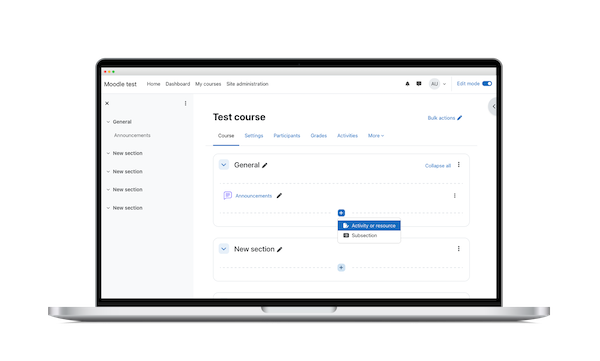
- Open a Moodle course and turn editing on.
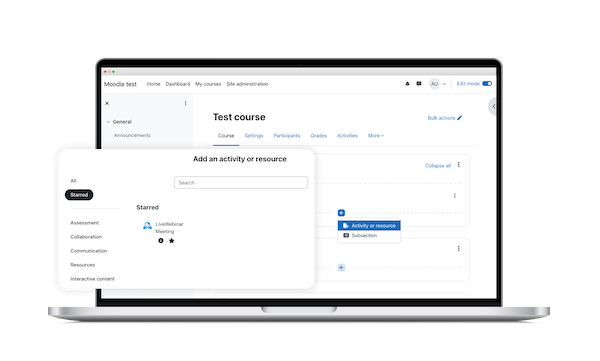
- Select Add an activity or resource.
- Choose LiveWebinar Meeting from the list.
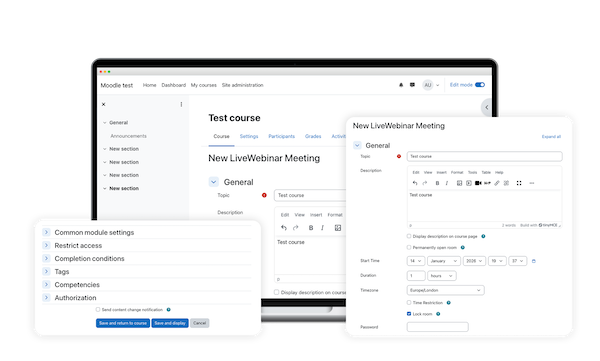
- Configure the meeting to create a LiveWebinar event linked to the course.